Your day today
A customer wants a cover for their pool. You make the quote in Odoo, then you go to Walter Pro, configure the cover and order it. From that moment on, the information lives at Walter: is it in production yet, what exactly does it cost me, which week will it be ready?
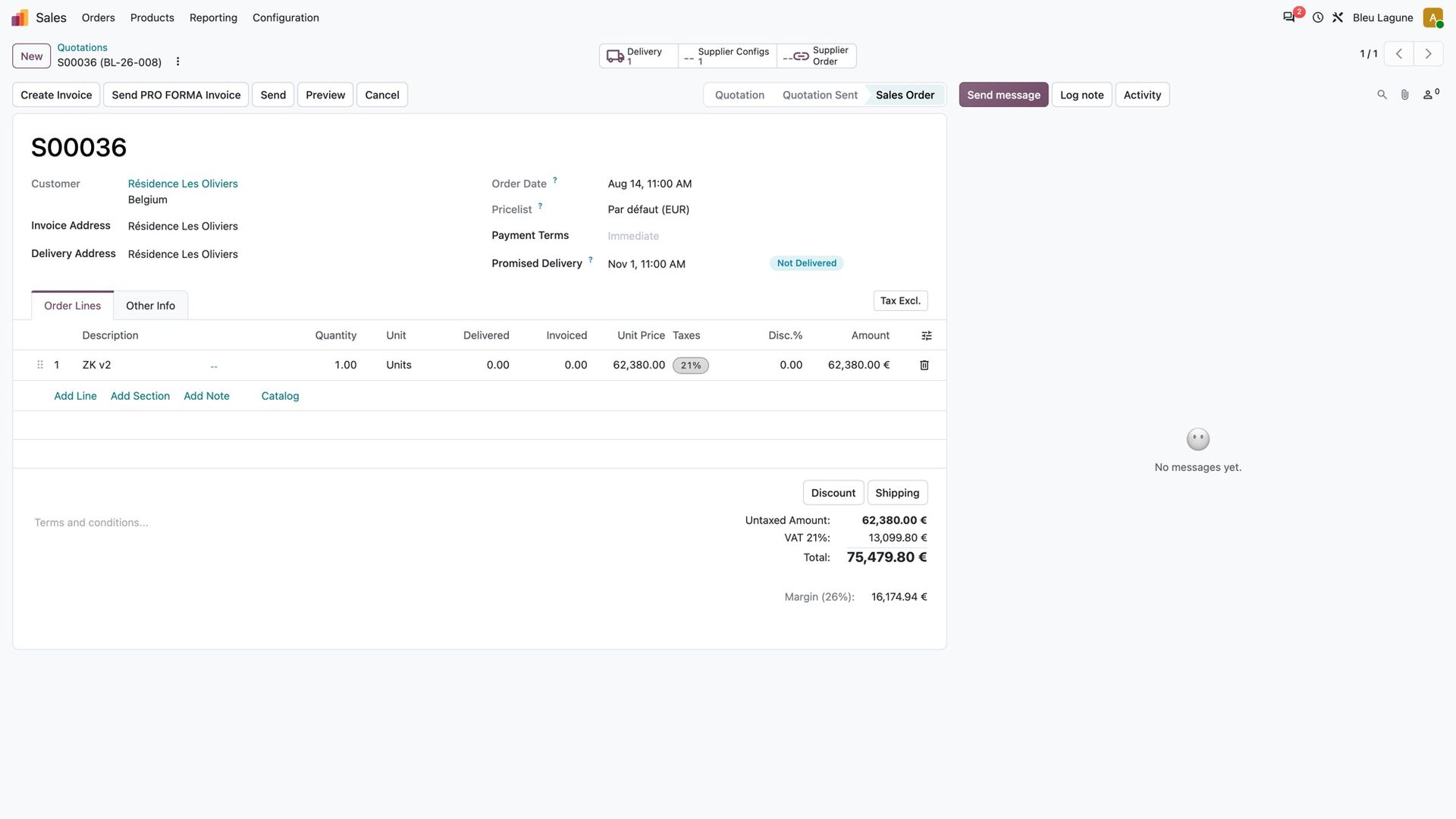
So you copy the configuration and the price onto your lines by hand, you keep a side list of the covers in production, and you check Walter Pro before every call. And sometimes you learn that a cover slipped a week after you promised a date to your customer.
Every cover you order, in your Odoo
With the connector, your covers come back to your Odoo on their own, every 30 minutes or when you press a button. A Walter menu lists them all by status: quotation, approved by you, confirmed by Walter, in production, ready to ship, delivered. Each card shows your reference, Walter's order number, the model, your customer and the week.
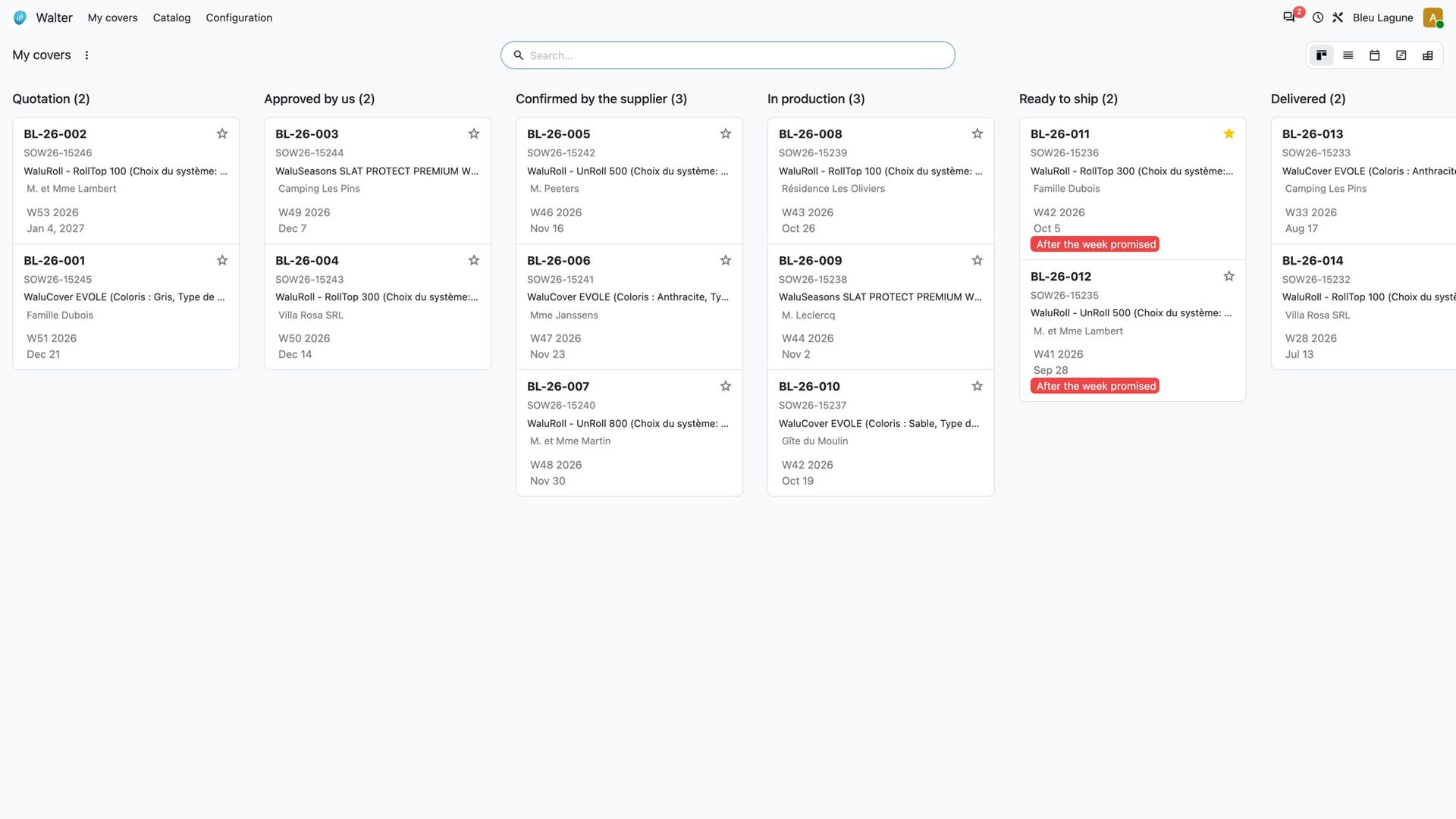
No more checking Walter Pro to answer "where is my cover?". The answer is in the list you already work in.
The week, as Walter gives it
Walter never promises a day, only a week, and that week is the one in which manufacturing ends. Your Odoo says the same thing: every cover shows its week, "W42 2026", and the calendar fills each week from Monday to Sunday. You see at a glance what is ready when, and you plan around it. Nobody reads an exact date that Walter never gave.
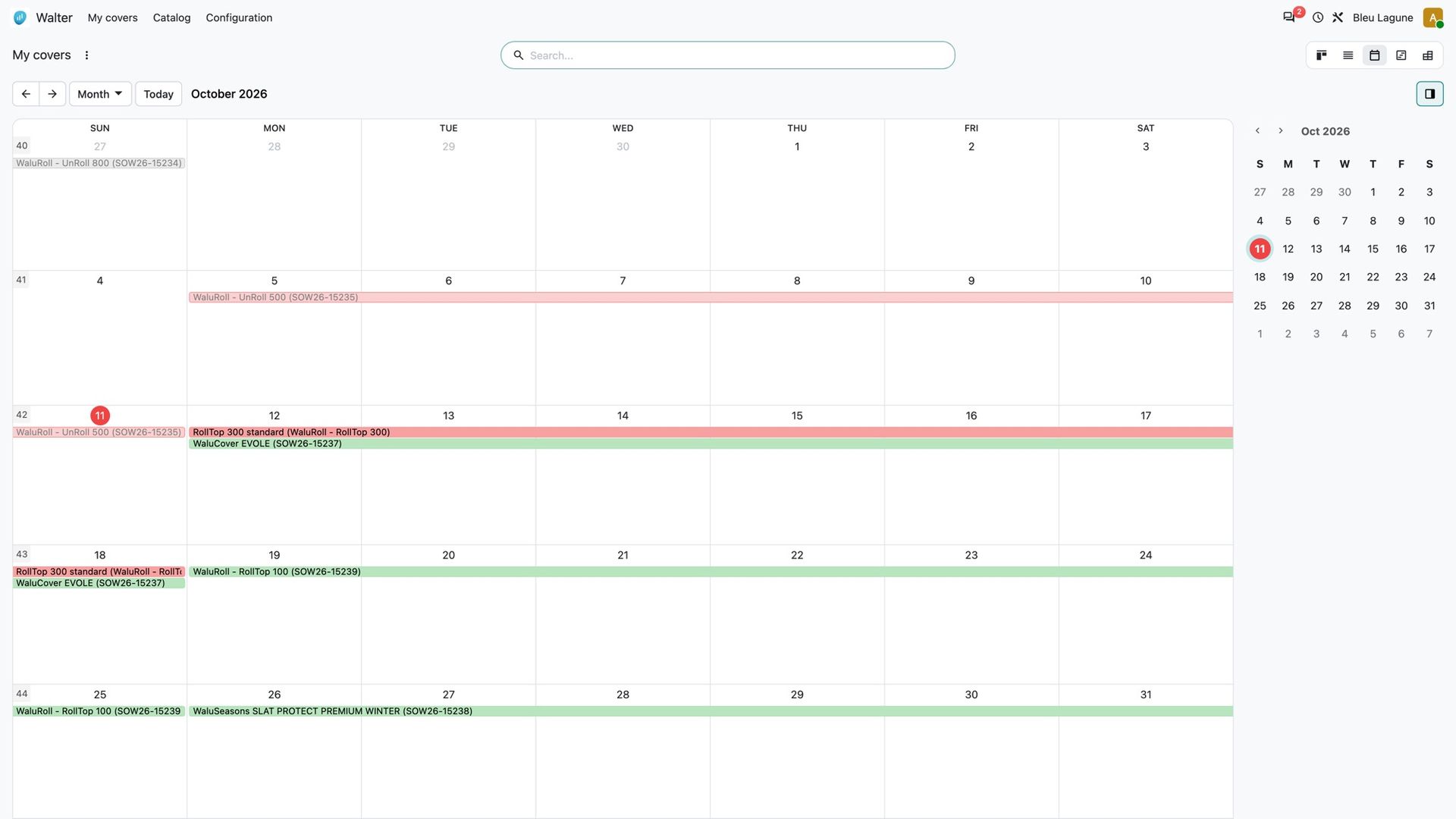
Know before your customer calls
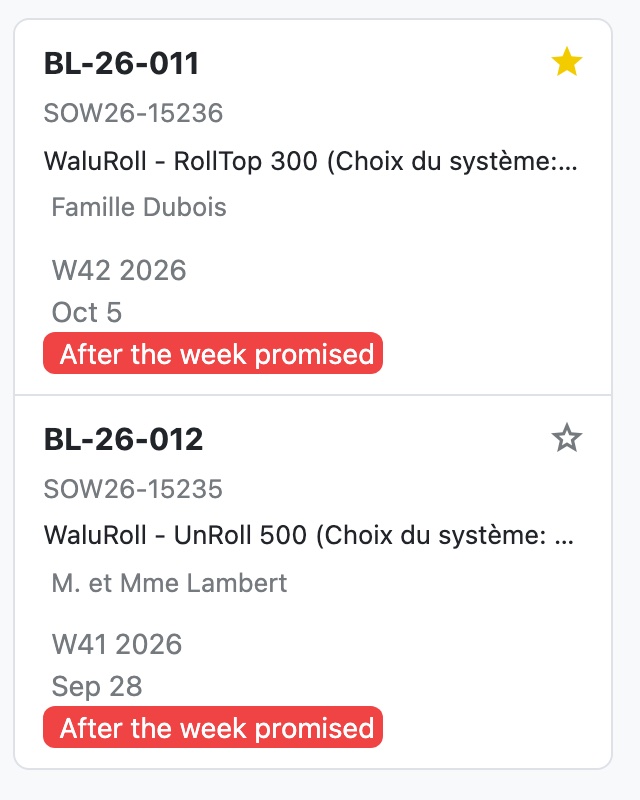
When a cover belongs to one of your quotes, your Odoo compares Walter's week with the date you promised your customer. Later than promised: the card says "After the week promised", in red, and a filter lists every cover that will miss its promise. You call your customer before they call you.
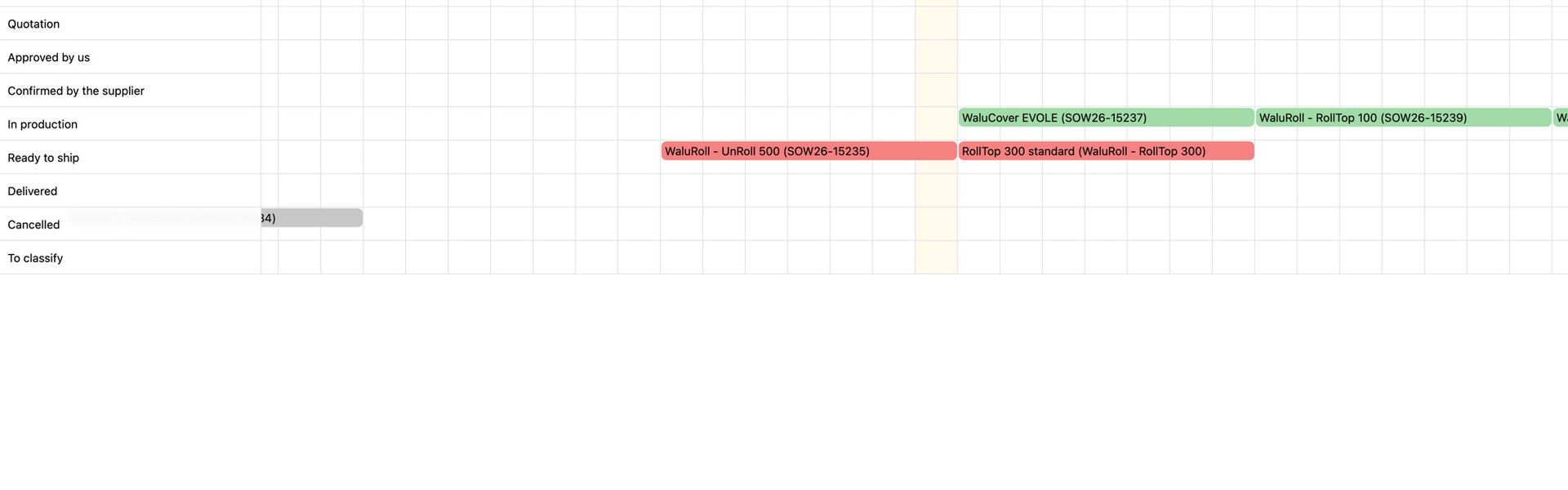
On Odoo Enterprise, a planning chart shows the same thing week by week, green or red.
The right cost on your quote
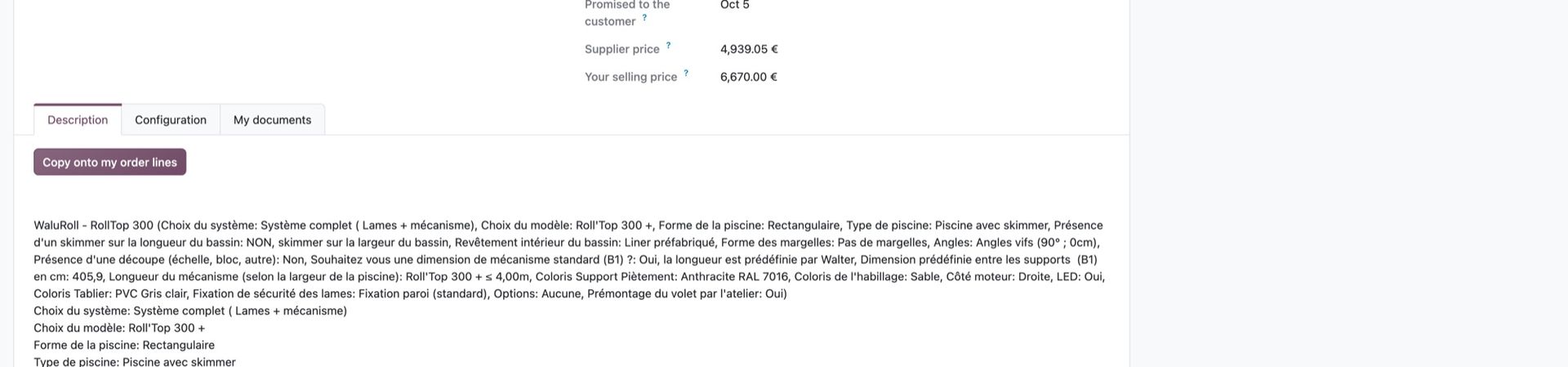
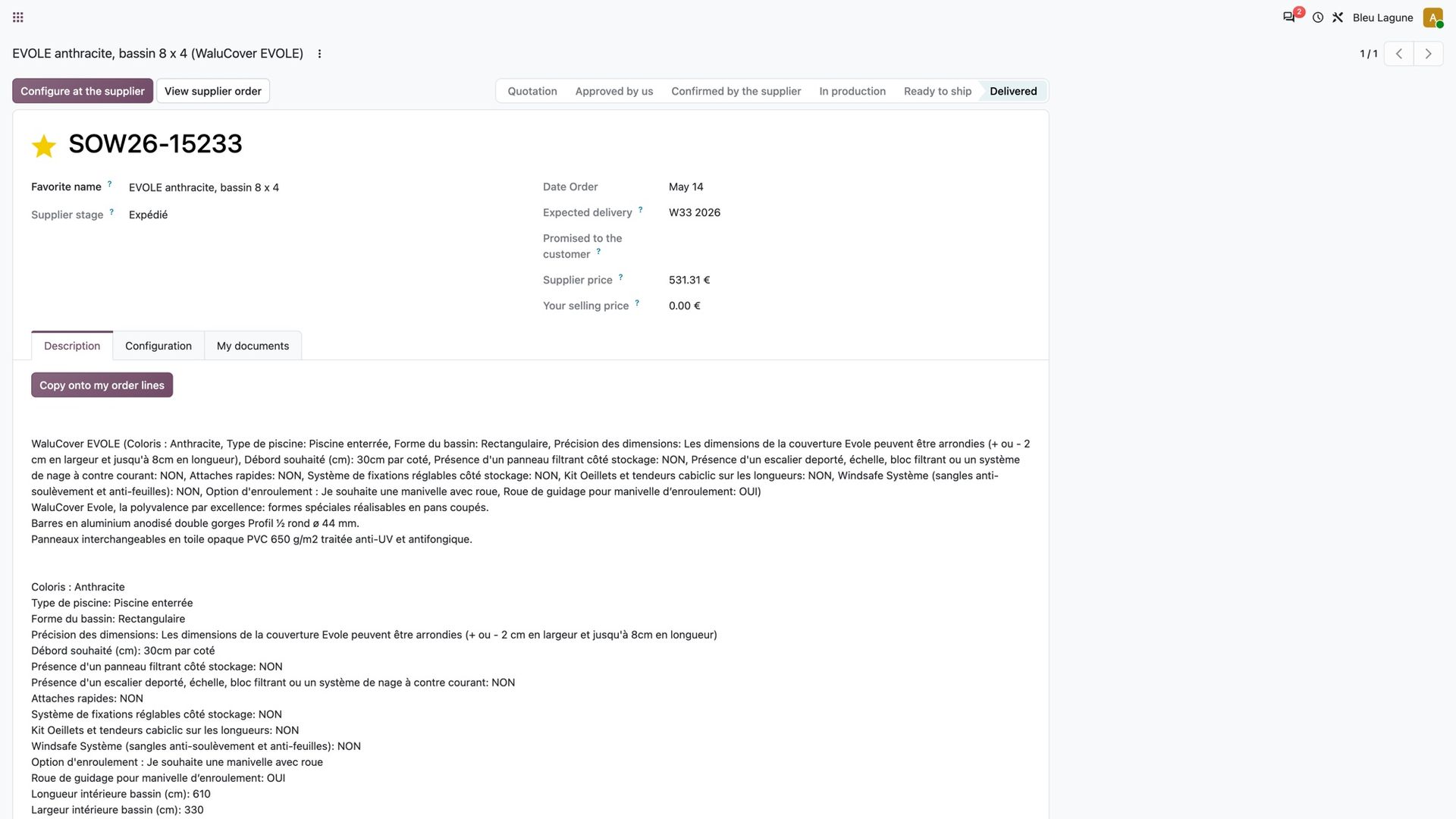
Open a cover and everything is there: status, week, the date you promised, Walter's price after discount next to your own selling price, and the full description of the configuration. When the cover belongs to one of your quotes, its price lands on the line as your cost, so the margin you see is the real one. One click copies the description onto your lines when you want it.
Start again from what already worked
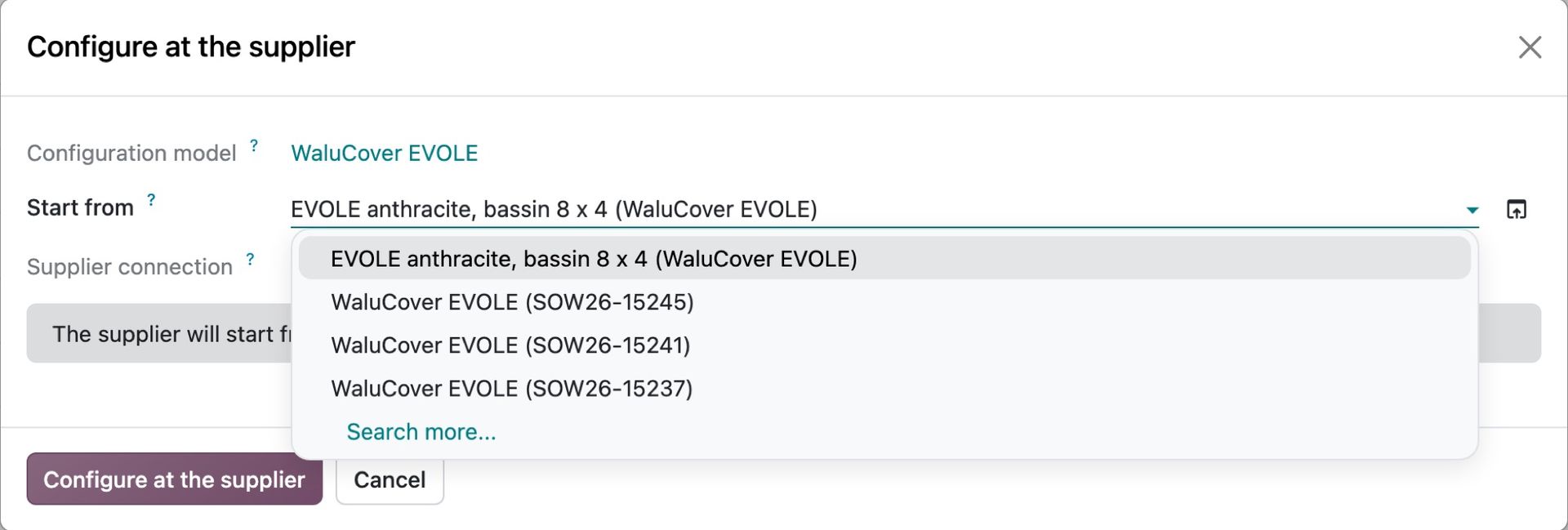
You often sell the same cover again: the same model, the same colour, the same kind of pool. Mark a cover you ordered as a favourite and give it a name, such as "EVOLE anthracite, 8 x 4 pool". When you configure a new cover from a quote line, your Odoo suggests that favourite first, followed by your past orders of the same model. Walter Pro opens with that choice as a starting point.
The catalogue in your Odoo
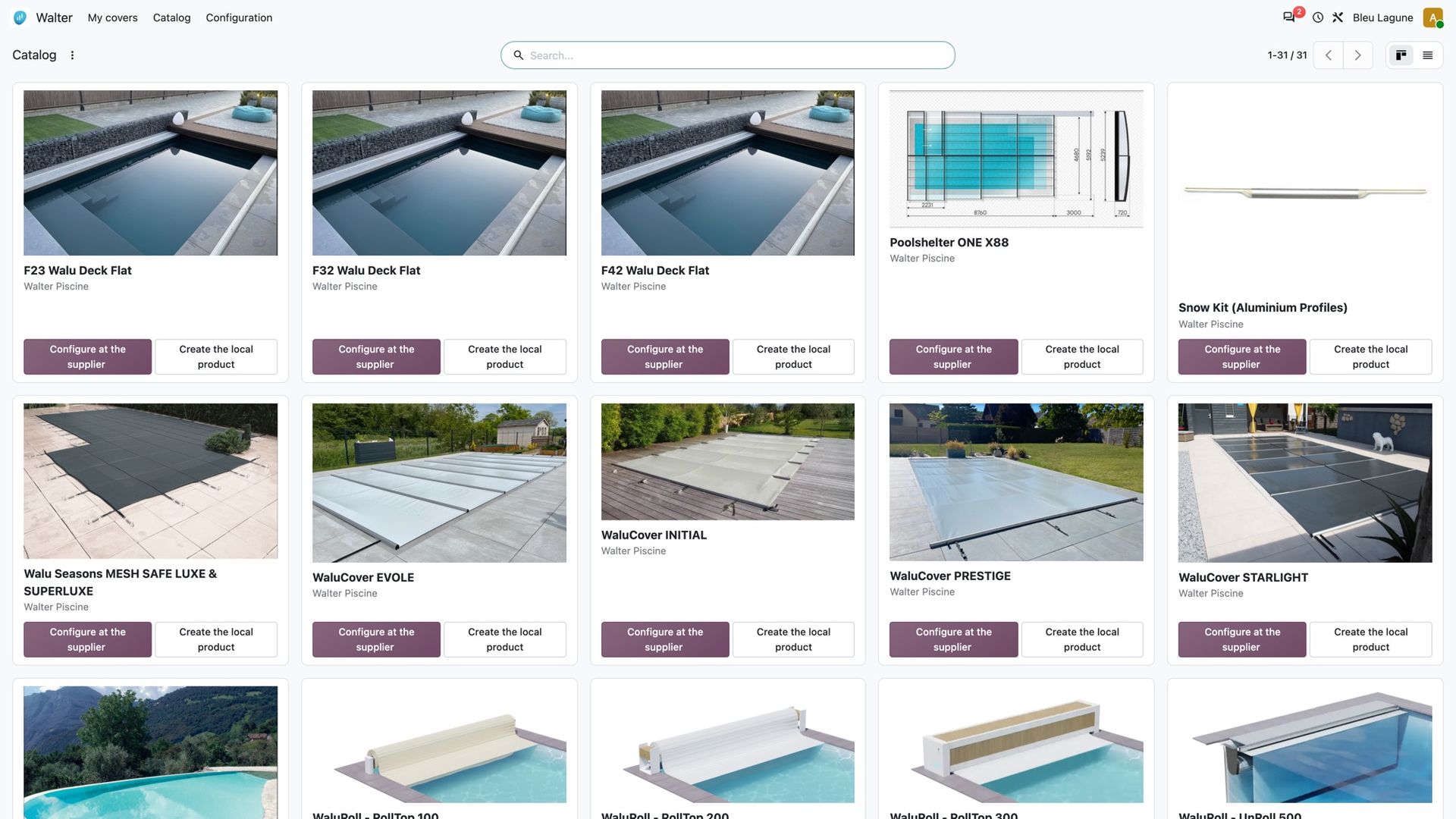
The Walter models you are allowed to order appear in your Odoo with their picture. Link each one to your own product, or create it in one click, and that product can be configured at Walter straight from your quotes and purchase orders.
Also a TSPH reseller?
Many of you sell pools as well as covers. The same principle applies there: every pool you order comes back to your Odoo, with the pools held for you at the supplier, the real cost on your quote and the leads you receive. Both suppliers live side by side in the same Odoo, each with its own menu.

Interested?
One call is enough to see what it would change for you.