Your day today
A customer wants a pool. You make the quote in Odoo, then you go to the pro site, pick the pool, configure it and order it. From then on, the information lives at the supplier: is it in production, what exactly does it cost me, when will it be delivered, which pools am I still holding?
So you copy the configuration and the price by hand, you keep a side list of what you ordered and what you still hold at the supplier, and you check the pro site before every call.
Every pool you order, in your Odoo
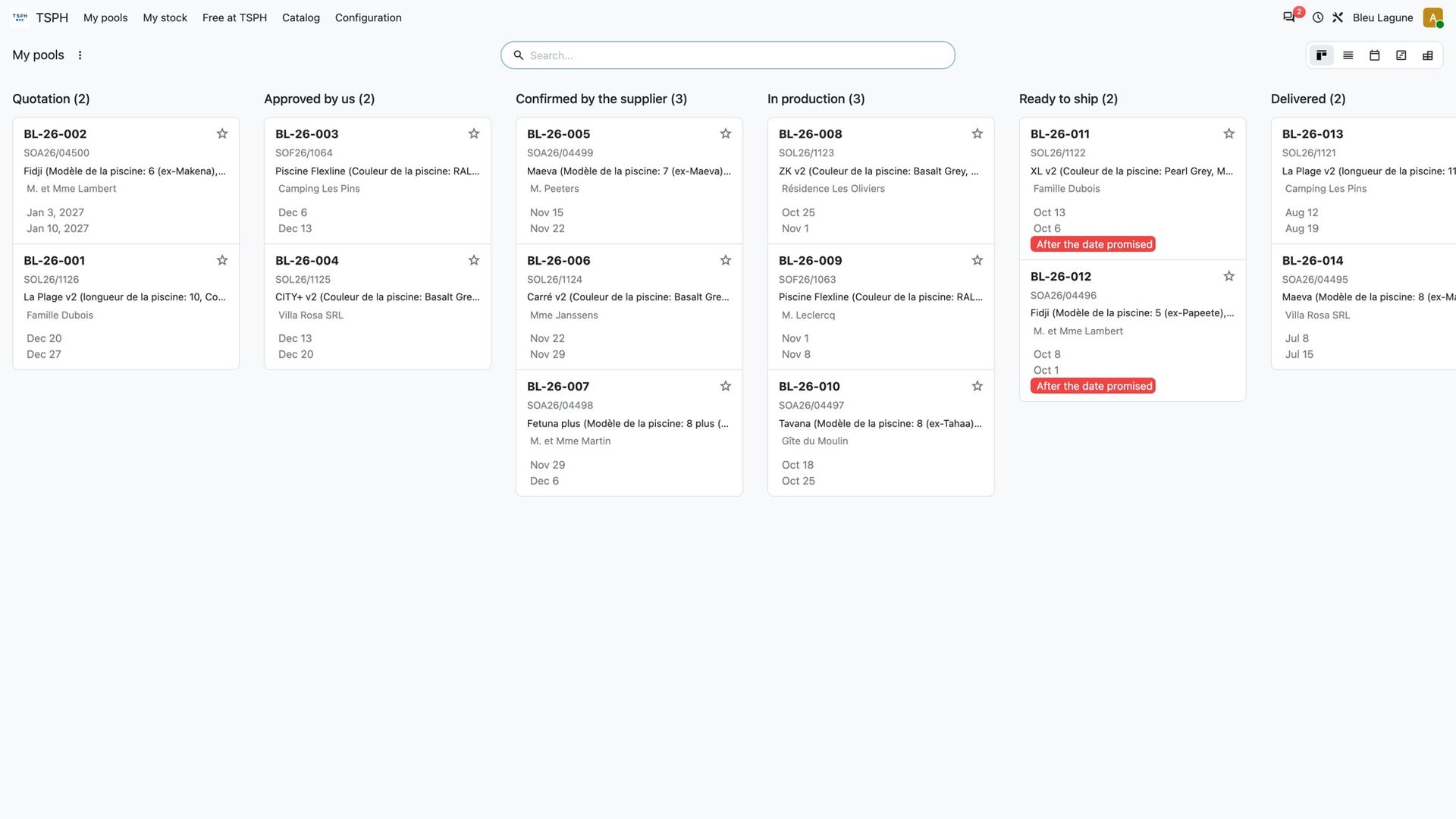
With the connector, your pools come back to your Odoo on their own, every 30 minutes or when you press a button. A menu lists them all by status, across the three brands: quotation, approved by you, confirmed by the supplier, in production, ready to ship, delivered. Each card shows your reference, the supplier's order number, the model, your customer and the delivery date.
Know before your customer calls
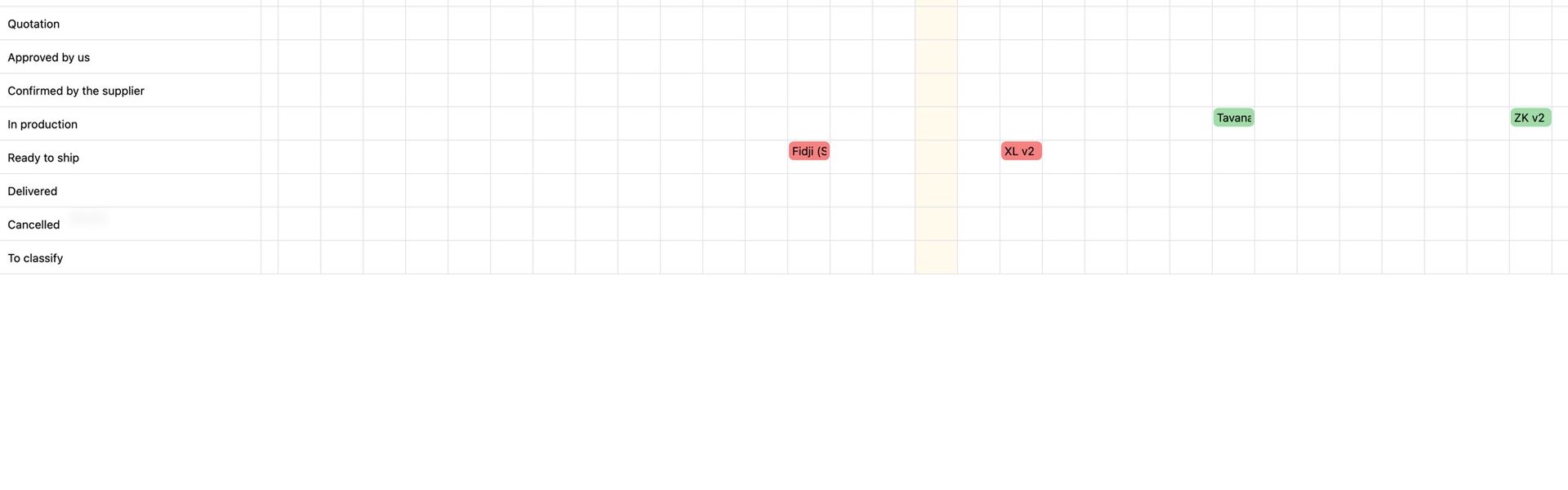
When a pool belongs to one of your quotes, your Odoo compares the supplier's delivery date with the date you promised your customer. If the supplier lands later, the pool is flagged in red and a filter lists every pool that will miss its promise. On Odoo Enterprise, a planning chart shows the same thing day by day.
Your pools, held and free
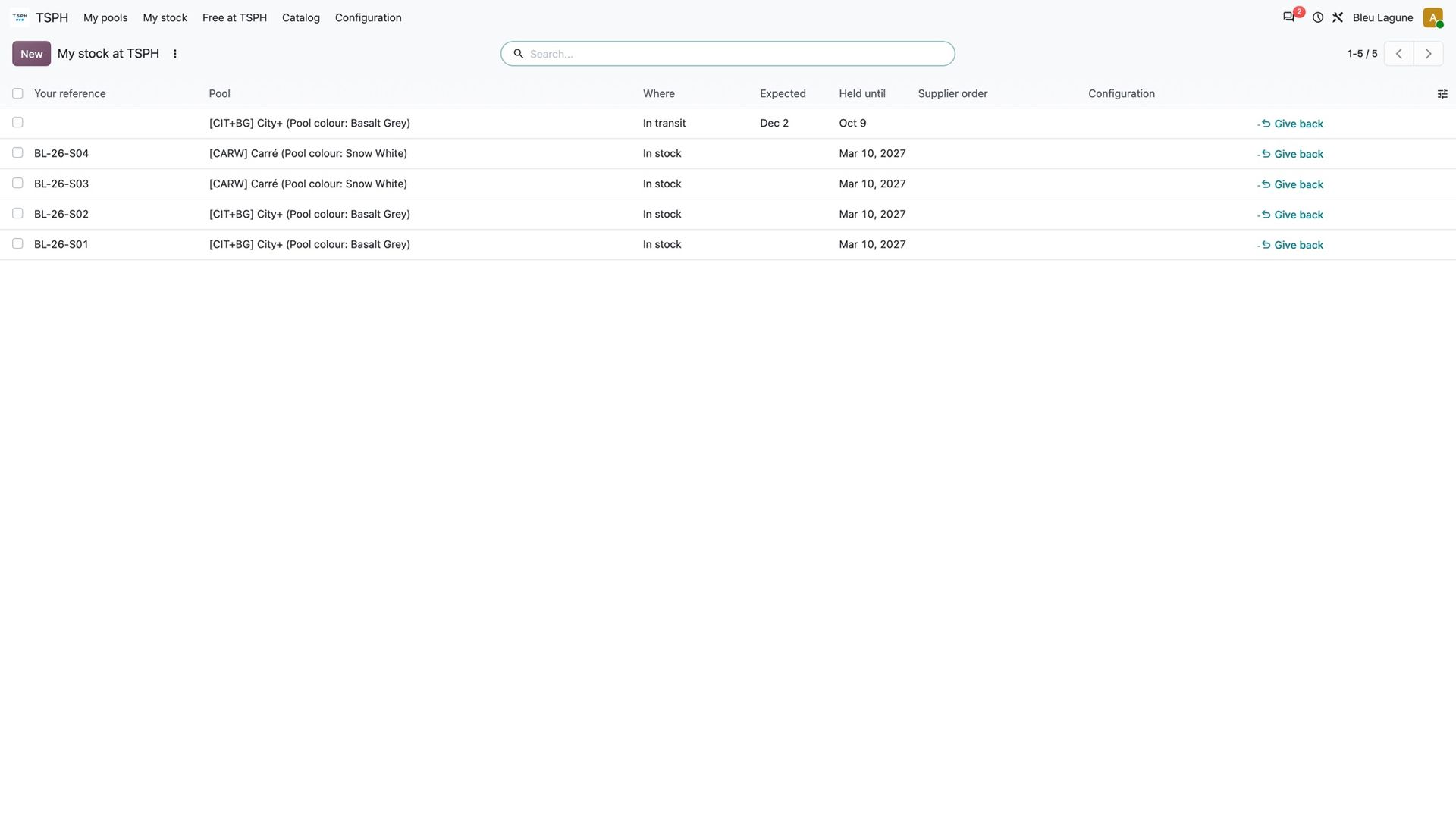
Every LPW Pools model comes from a pool taken from the supplier's stock. Your Odoo shows the pools held for you: which model and colour, in stock or in transit with its expected date, how long it is held for you, and the order it is committed to. A button gives back a pool you no longer need.
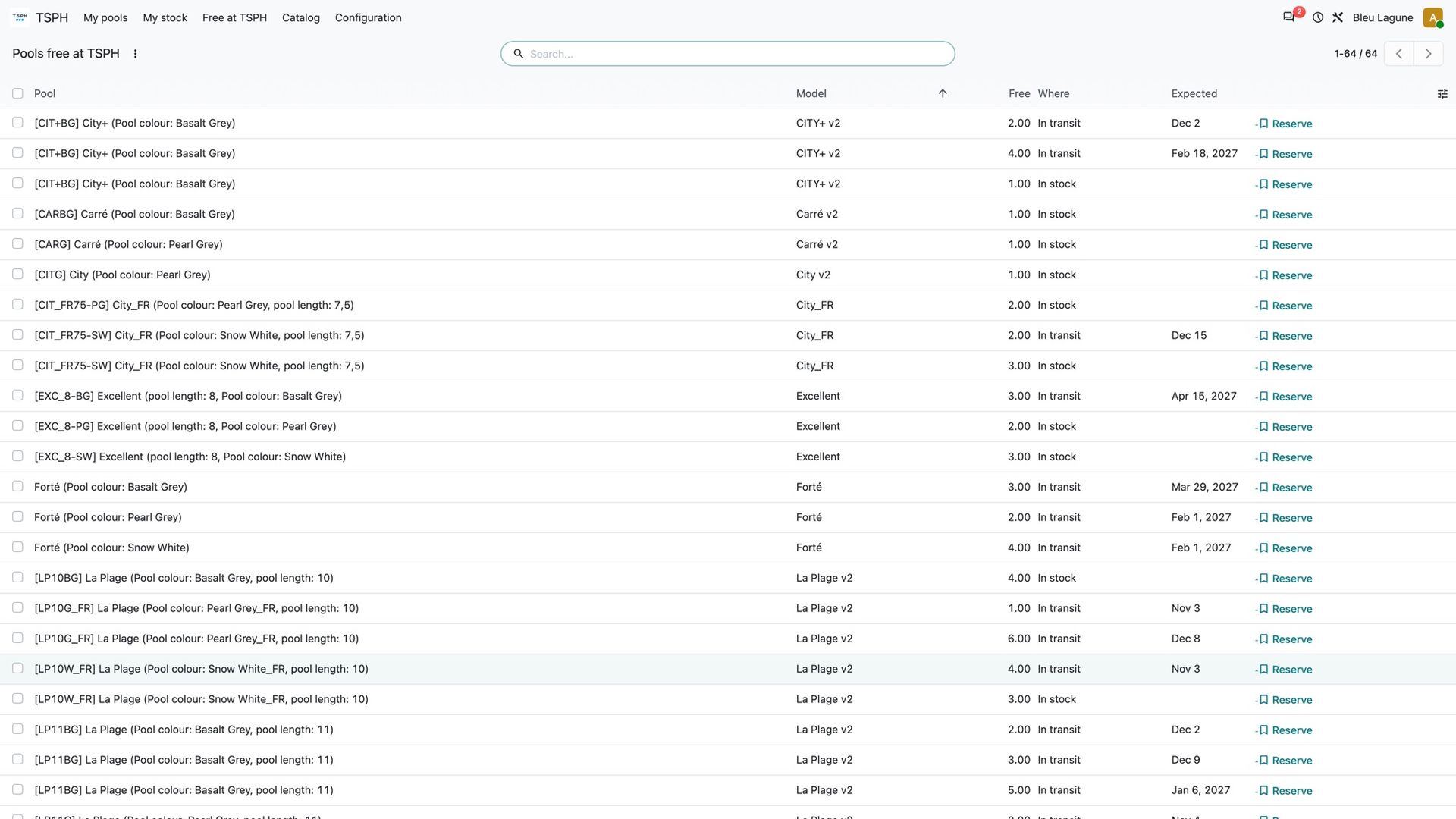
Next to it, the pools still free at the supplier, by model, colour and place, with a button to reserve one. The supplier keeps its own rules: it picks the unit, sets how many you can hold and for how long, and warns you before a reservation expires.
Pick the pool from your quote
When you configure an LPW Pools model from a quote line, your Odoo asks which pool to use: one you already hold, or one to reserve now. It checks the reservation with the supplier before sending you to the configurator, and tells you right away if it is no longer available.
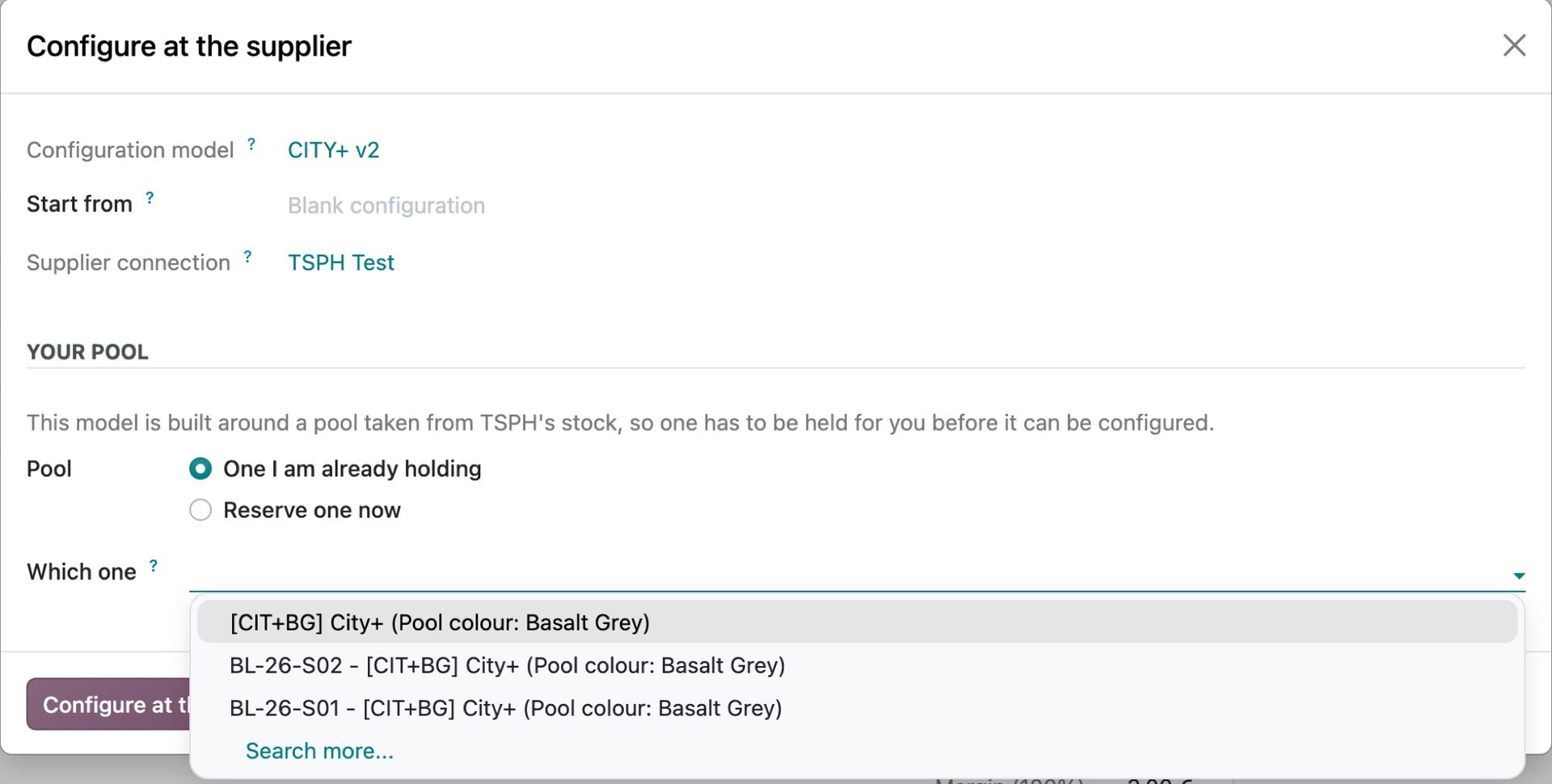
The right cost and the real margin
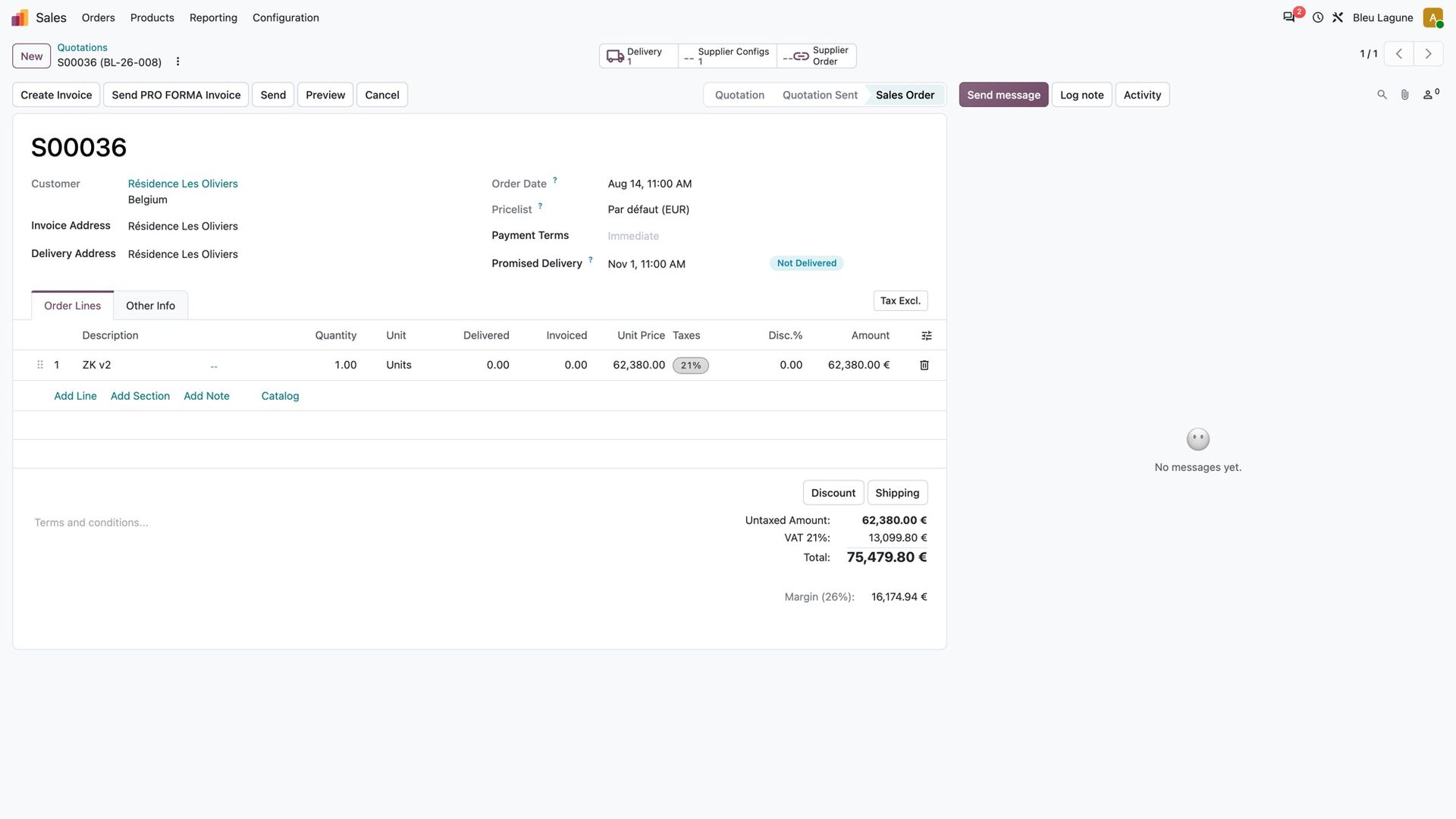
The supplier's price lands on your quote line as your cost, so the margin you see is the real one. The full description of the configuration is one click away when you want it on your own document.
The catalogue of the three brands
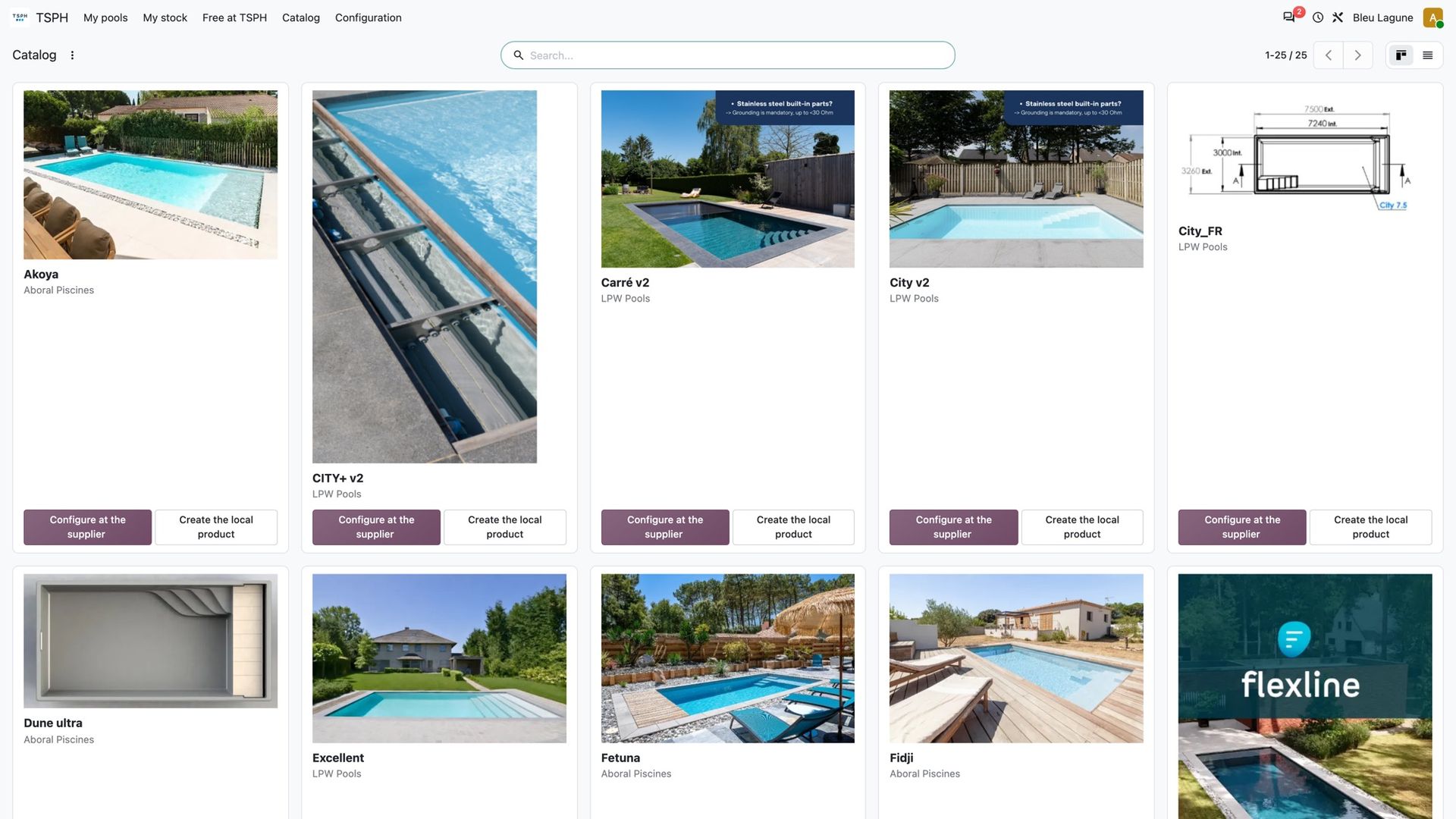
The models you are allowed to order appear in your Odoo with their pictures, for LPW Pools, Flexline and Aboral alike. Link each one to your own product, or create it in one click, and that product can be configured at the supplier straight from your quotes.
Leads and after-sales, both ways
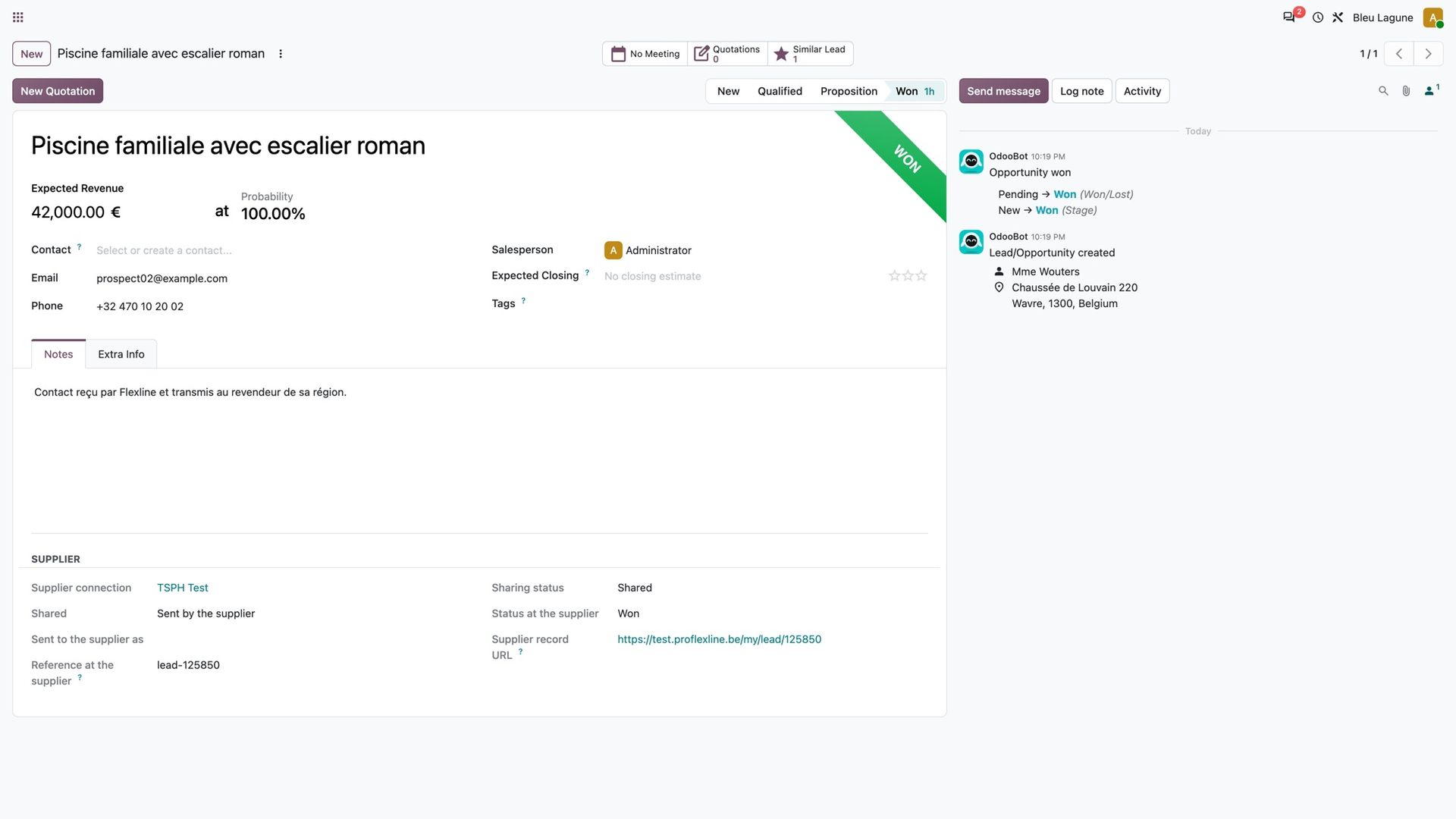
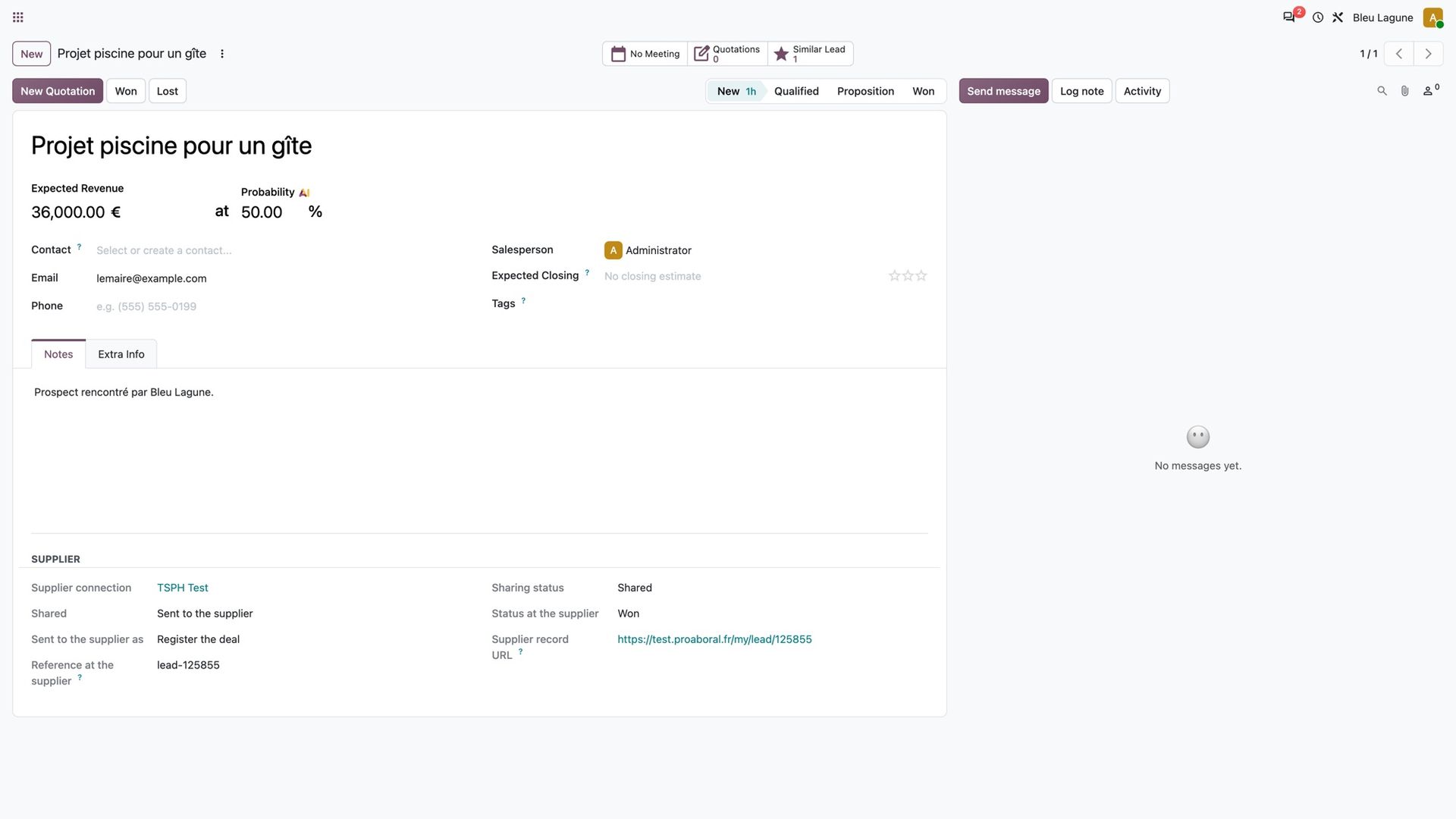
When TSPH passes you a prospect from your area, it arrives in your CRM with the contact, the project and the expected value. You work it in your own pipeline, and the supplier sees how far you got.
You can also send your own leads to the supplier, to register a deal or ask for help, and follow the status it gives them.
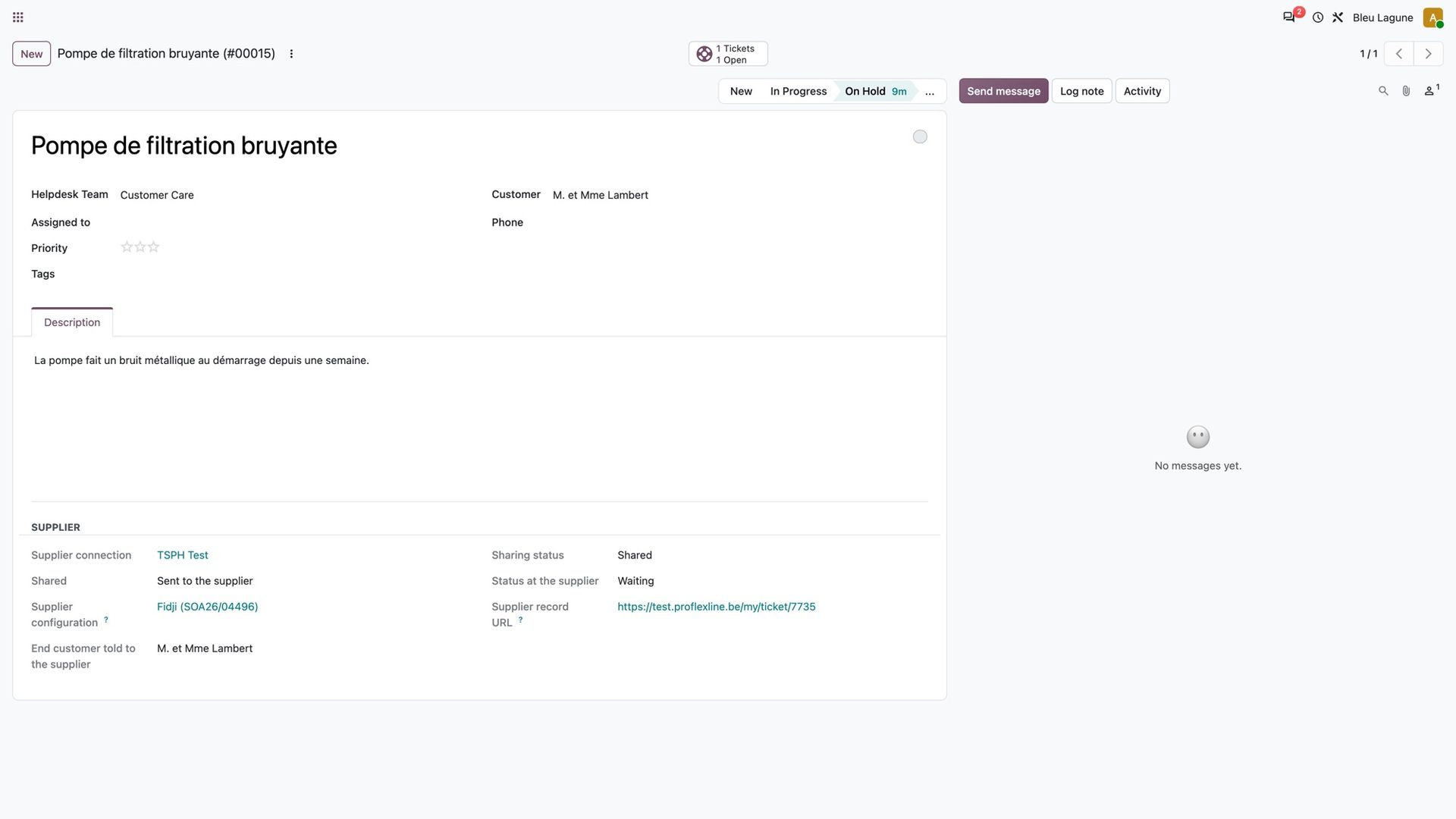
For after-sales, open the ticket in your helpdesk as usual and escalate it to the supplier in one click, linked to the pool it concerns. Its status at the supplier comes back to your ticket: new, in progress, waiting for you, resolved.
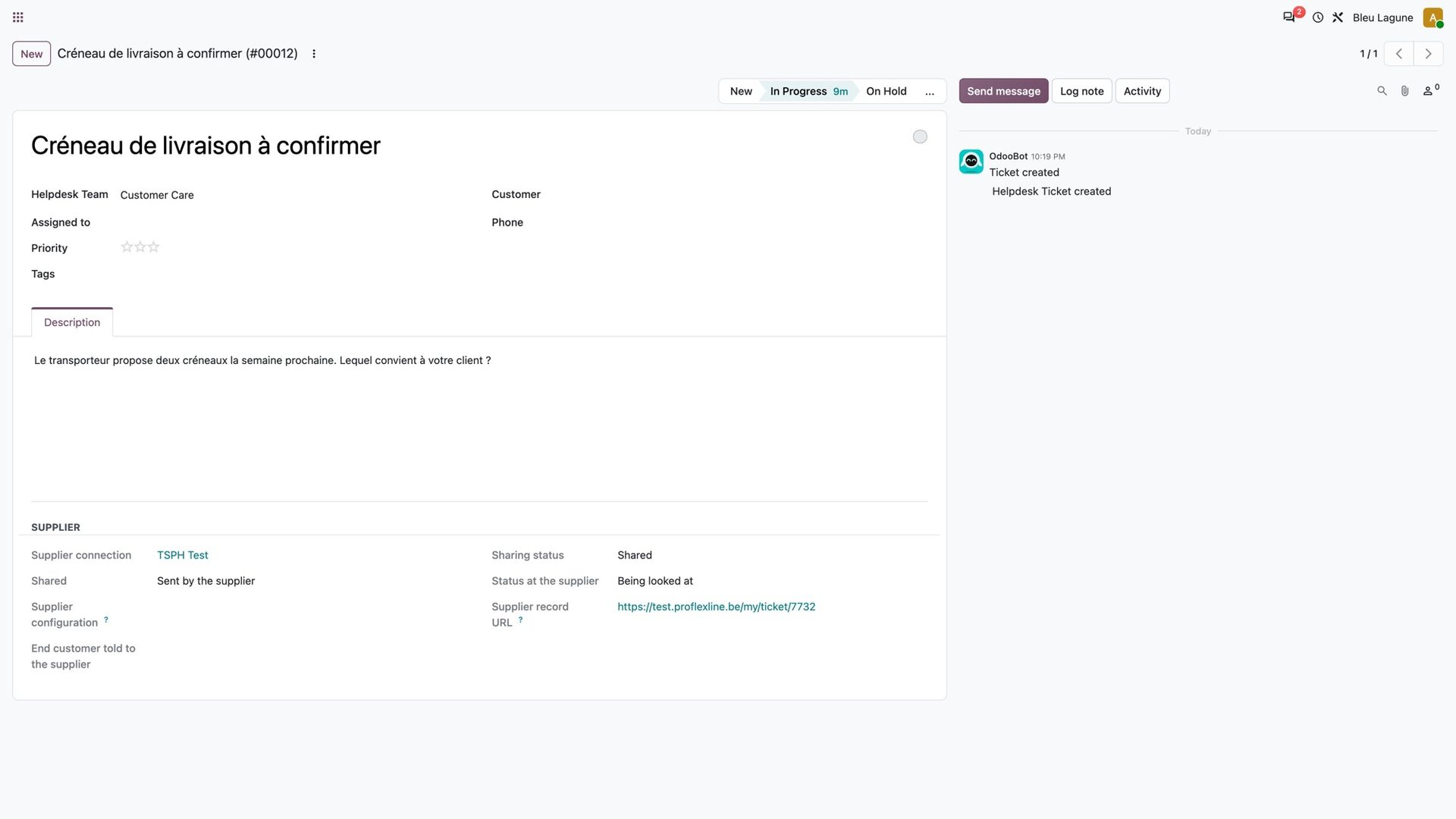
It works the other way too: the supplier can open a ticket with you, for example to have a delivery slot confirmed.
Also a Walter reseller?
Many of you sell covers as well as pools. The same principle applies there: every Walter cover you order comes back to your Odoo with its week, its real cost on your quote and a warning when it falls after the date you promised. Both suppliers live side by side in the same Odoo, each with its own menu.

Interested?
One call is enough to see what it would change for you.