The question nobody can answer quickly
In construction, installation or engineering, the daily question is the same: where is this job? What was sold, what was ordered from suppliers, what left the warehouse, how many hours were spent, which tasks are still open.
Odoo holds every one of those answers, spread across Sales, Purchase, Inventory, Project, Timesheets and Accounting. The object that could tie them together is the analytic account, the tag you put on order and invoice lines to say "this is for job X". In standard Odoo it is a thin accounting record. It shows what has been invoiced and booked, not the order confirmed yesterday or the supplier order on its way. So the site manager asks accounting, or someone builds a report, or the site manager gets accounting rights they should not have.
One page per job
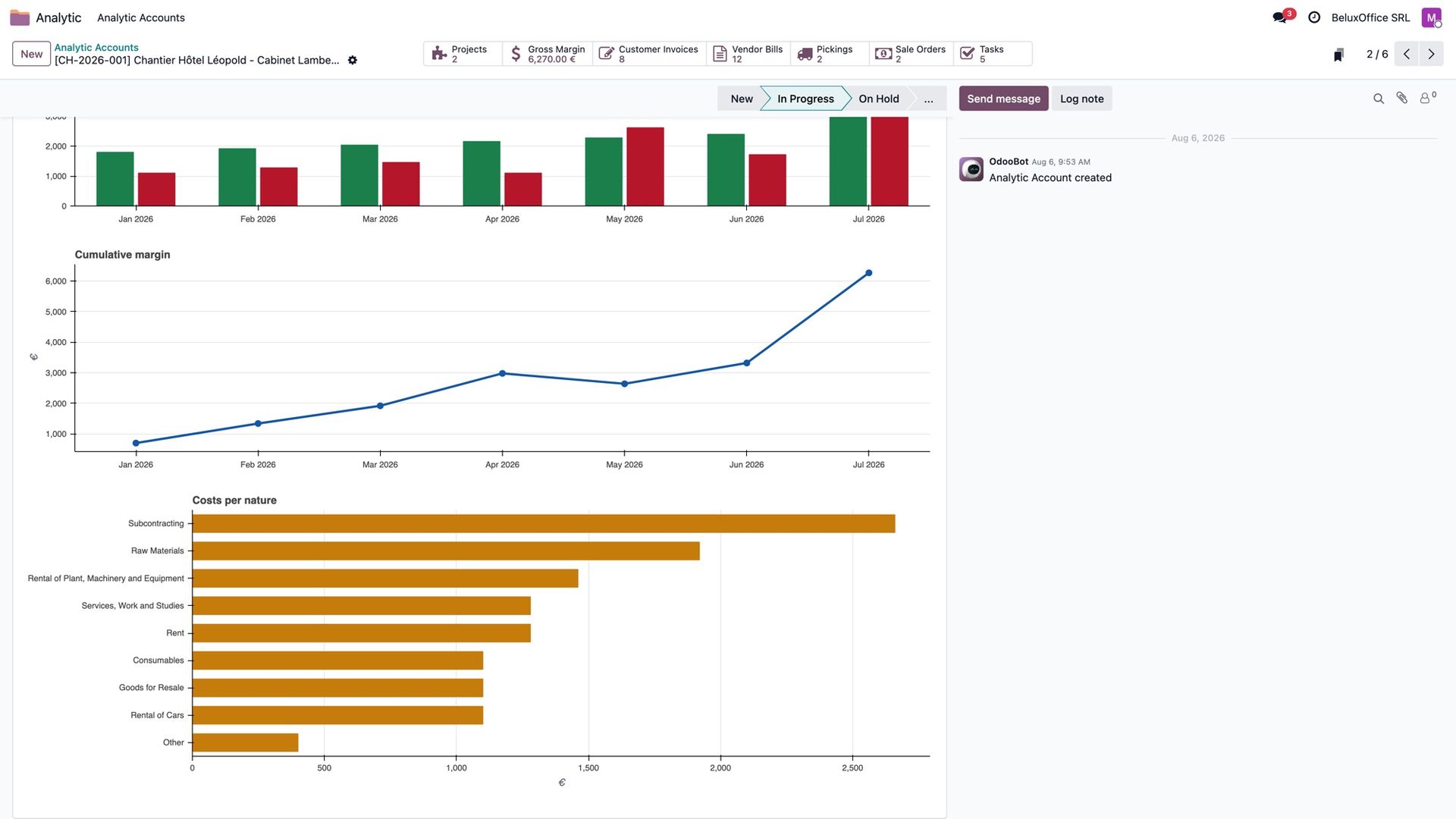
With our analytic modules, the analytic account becomes the job's page. A Summary tab opens it with four blocks: revenue (invoiced, and ordered on confirmed sales orders), costs (booked, and committed on confirmed purchase orders), effort (tasks, open tasks, hours) and the result, as a margin in euros and in percent.
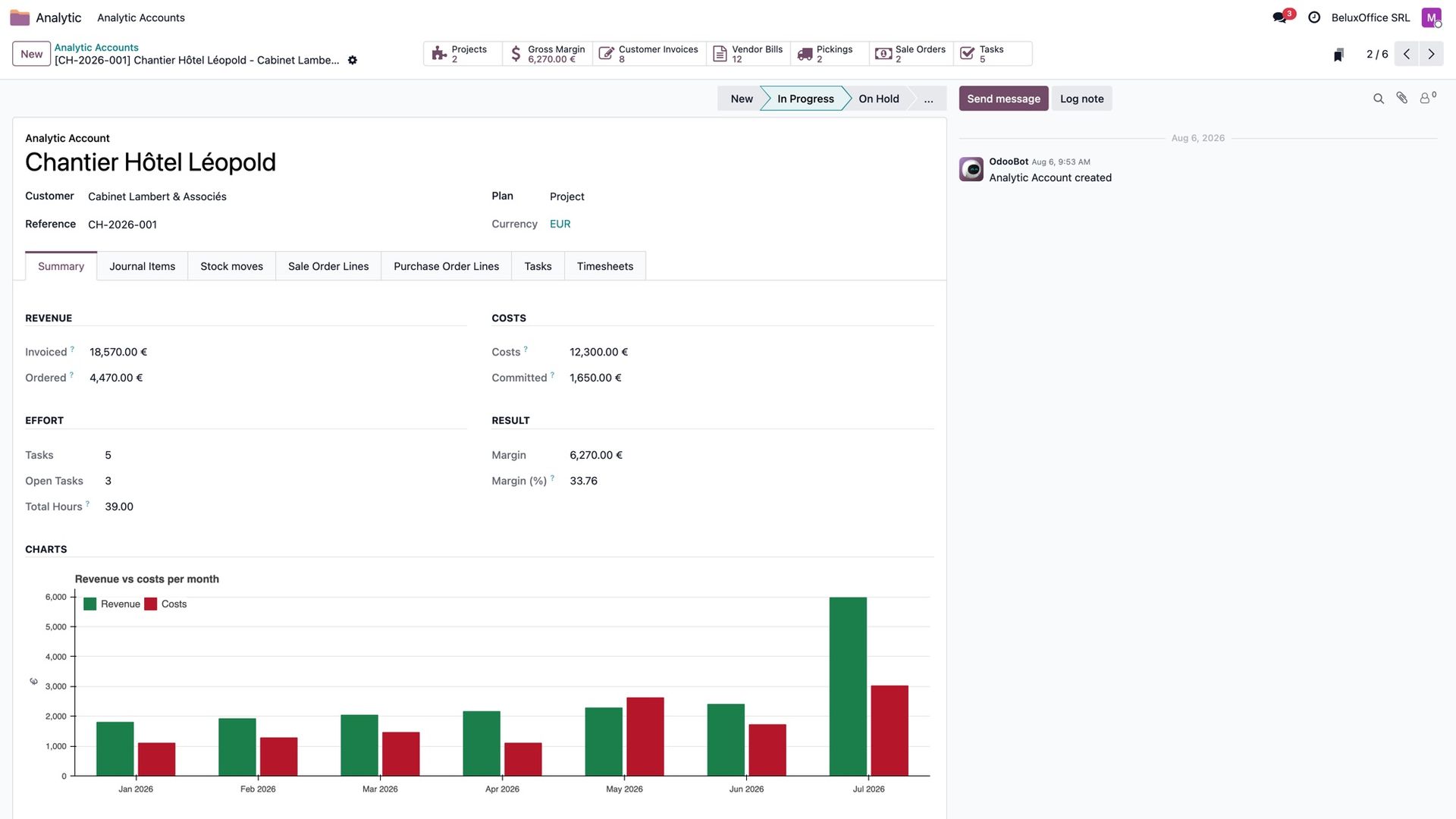
The figures in the summary are split exactly: a supplier bill shared 60/40 between two jobs counts for 60% here. Ordered and committed amounts follow the same rule, from the split on each order line.
Buttons at the top open the related projects, sales orders, purchase orders, transfers, invoices, bills and tasks. The tabs below list the lines behind the figures.
Where the figures come from
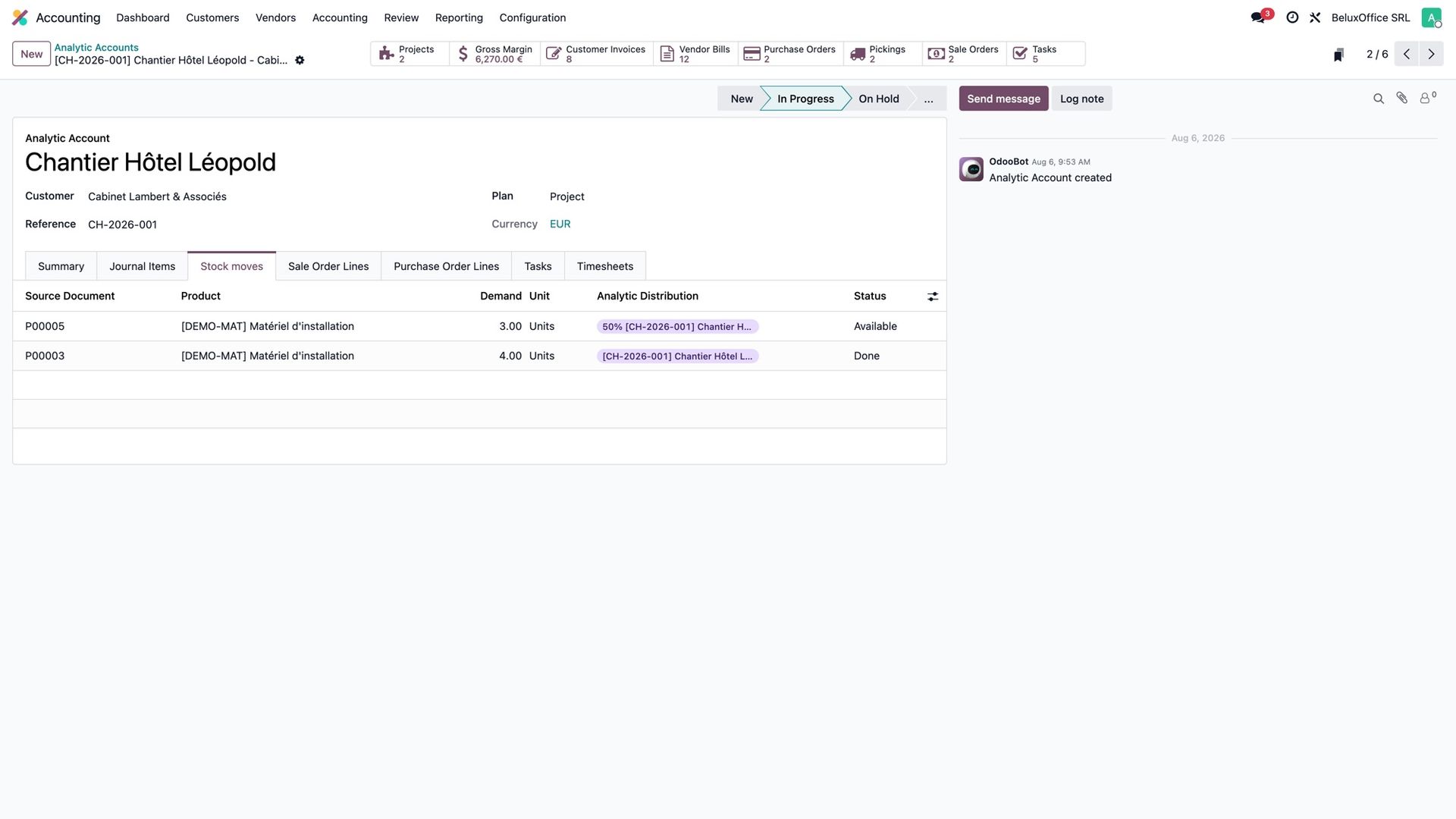
Each tab lists the original lines that carry the job: sales order lines, purchase order lines, stock moves, journal items, tasks and timesheets. A column shows how each line is split, so a line at 60% says so.
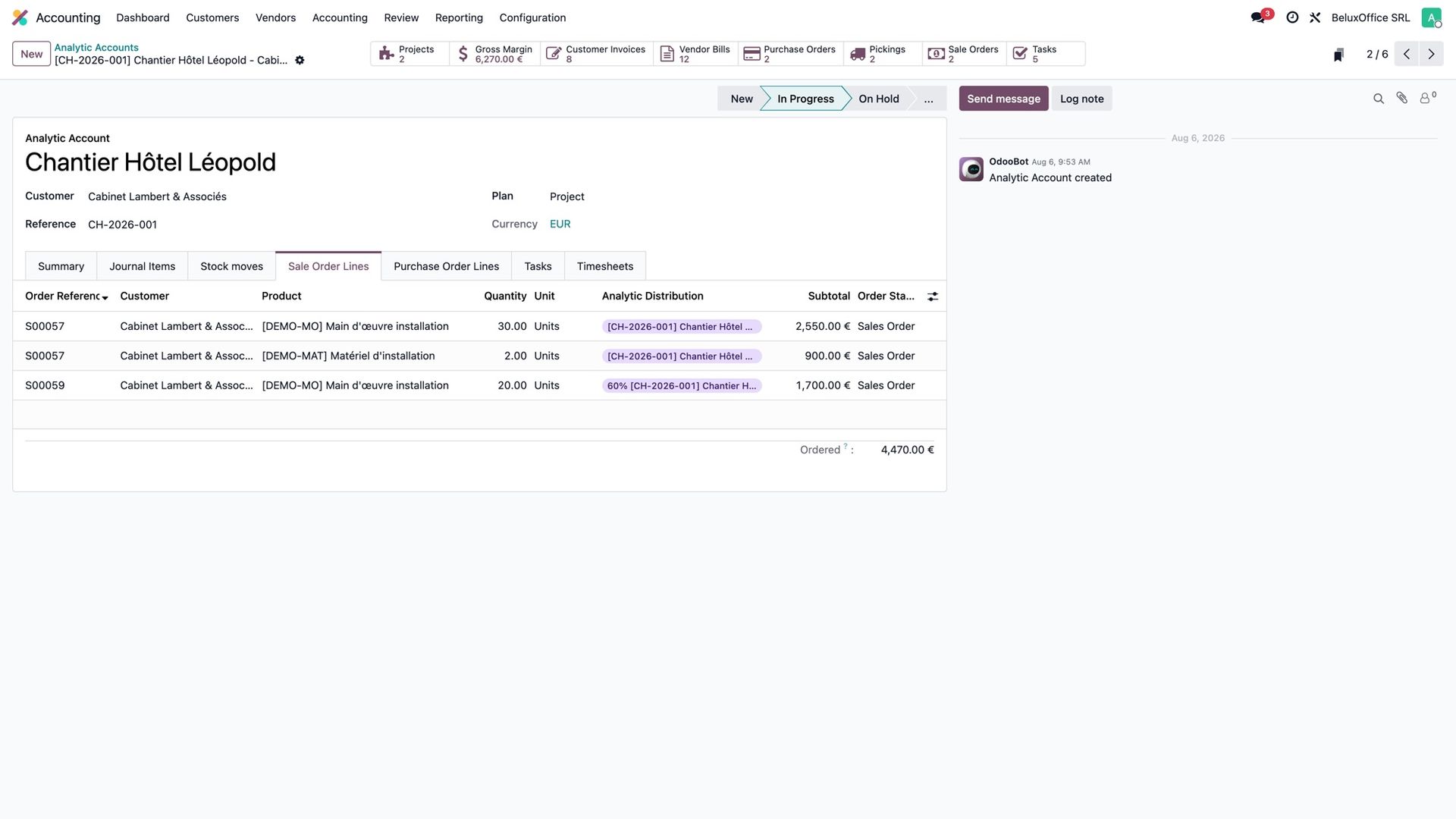
The tabs show lines at their full value, on purpose: they are there to find a document, not to add up. For the totals, the summary is the place to look. That is also why the tabs have no column total, which would add amounts that are not split.
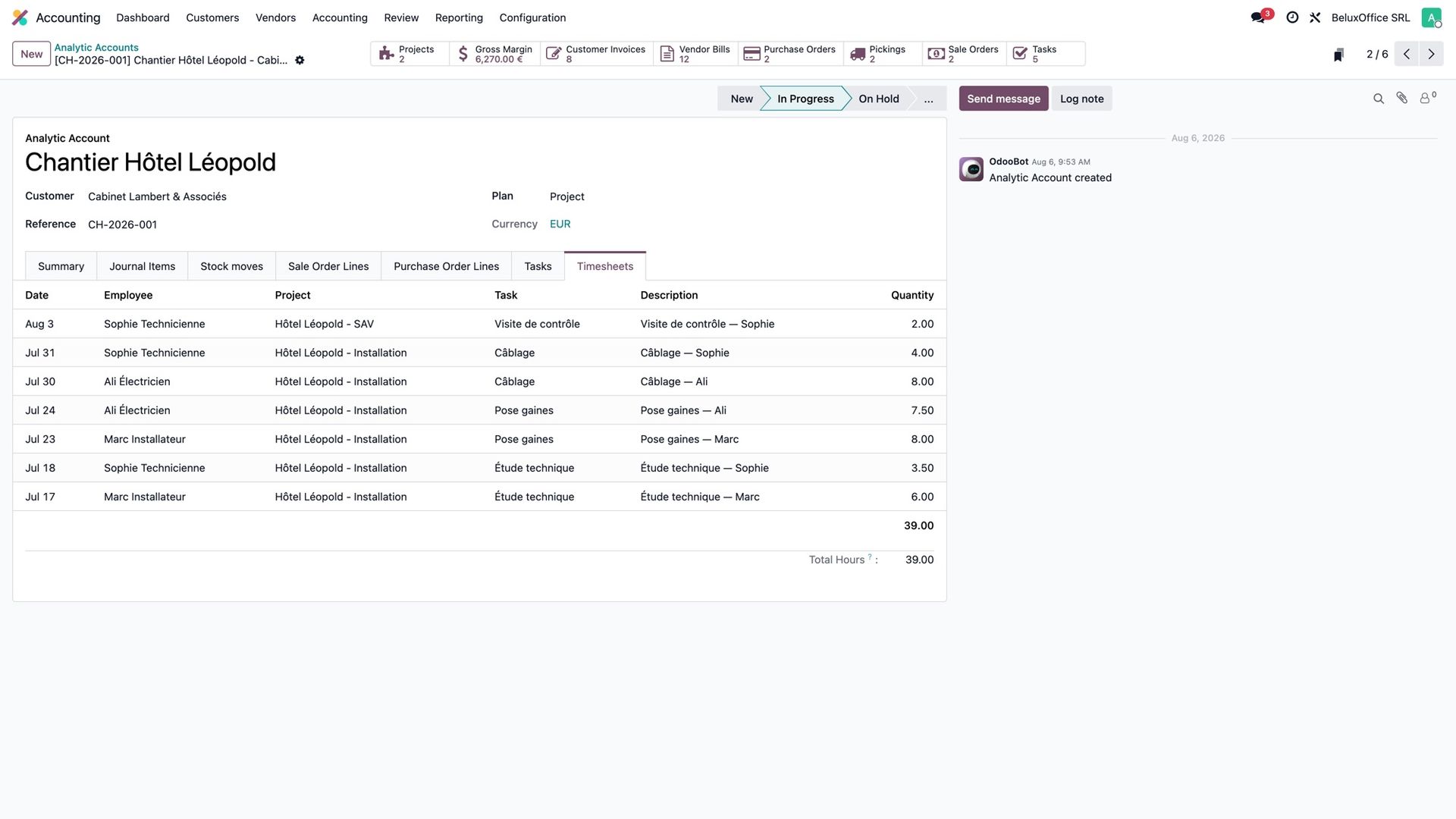
Hours and tasks
The Timesheets tab lists who worked on the job, on which task, and the total hours. One thing to know: Odoo's standard rights still apply, so someone allowed to see only their own timesheets sees their own hours and their own total.
The margin over time
Three charts follow the summary: revenue against costs per month, the cumulative margin, and costs by nature (the eight largest accounts, the rest grouped). They are built from what is invoiced and booked, so they match the summary and the accounting.
Access without accounting rights
An Analytic app gives project and site managers the job pages without any right in Sales, Purchase or Accounting. They read the orders, transfers, tasks and timesheets behind each job; they cannot change those documents. What they see is exactly what their rights allow: nothing is read with elevated rights behind the scenes.
They see all the jobs of the companies they belong to. If each manager should see only their own jobs, that takes an extra access rule, which we can add for your organisation.
The job board
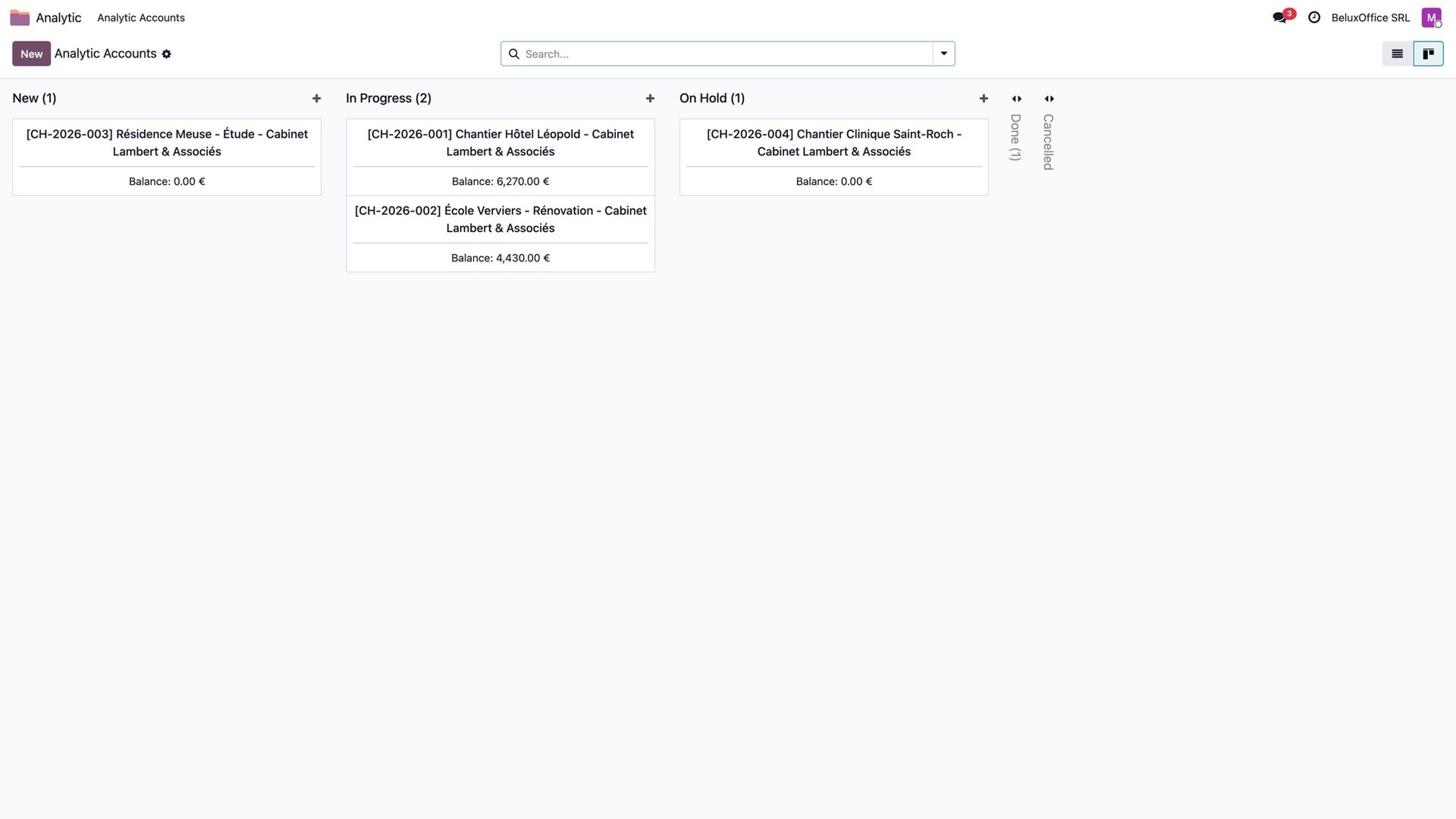
Each job can carry a state defined by the company, in its own words: new, in progress, on hold, done. The job page shows it as a clickable status bar, every change is logged, and the jobs list becomes a board by state.
Interested?
One call is enough to see what it would change for you.