Every company has sentences that belong on its documents: a summer closure notice, a legal mention for one subsidiary, a deposit clause above a certain amount, a reminder that a pro forma is not an invoice. In a standard Odoo, each of these requests ends the same way: someone types it by hand on every quotation, or a developer changes the document template. For one sentence.
Text Elements gives that control back to the people who know what the document should say.
The idea: a catalogue of texts with rules
A text element is a paragraph written in Odoo's editor, stored once, with three answers attached to it:
- What: the text itself. It can include values from the document: the customer's name, the order reference, the total amount, a date written in full.
- Where: the type of document (quotations, purchase orders, invoices, delivery slips, or all of them) and the position: top of the document, before the lines, after the totals, or bottom of the document. A page break can be added before or after, to append long conditions on their own page.
- When: whether it is added automatically to new documents, the condition the document must meet (customer in the Netherlands, amount above €50,000, a given sales team), and an optional validity period.
Odoo then prints the right texts in the right place, in the customer's language.
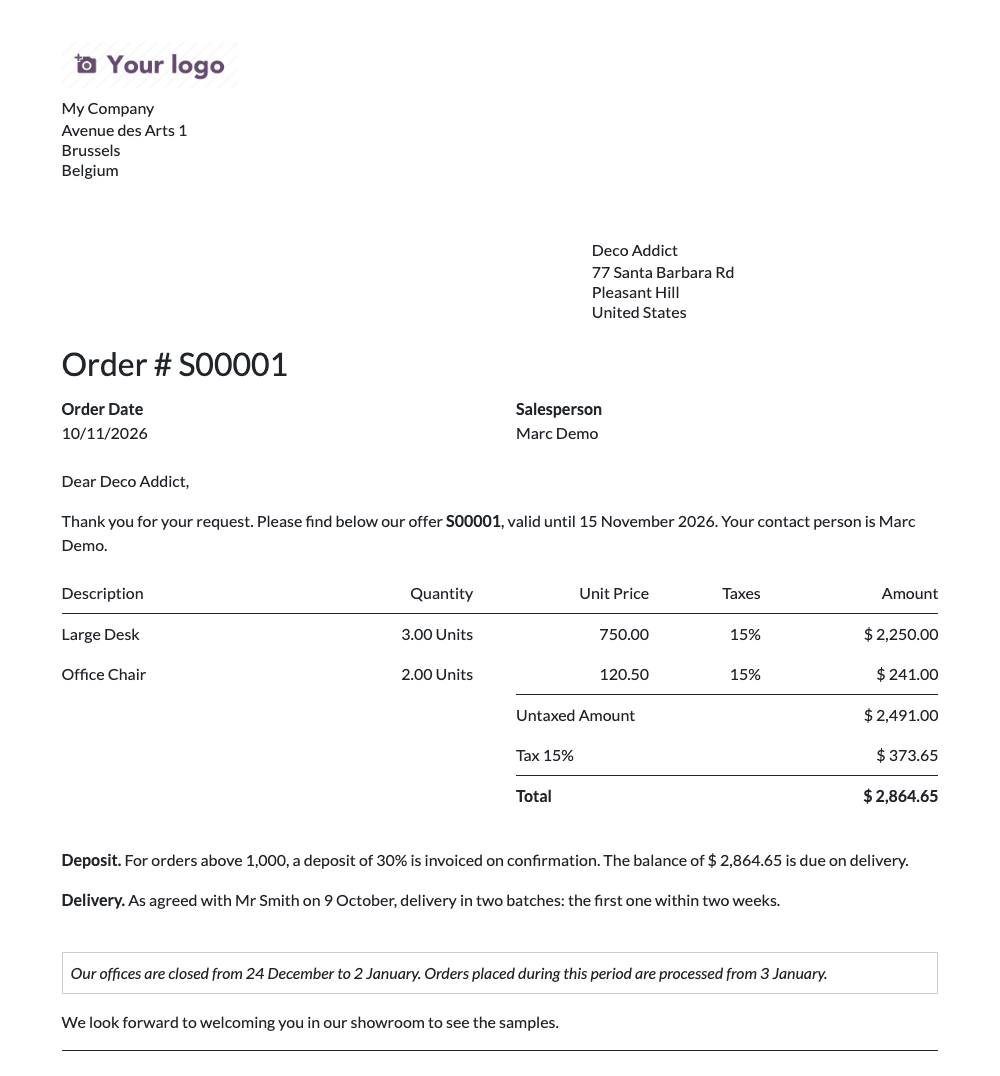
On each document, one clear list
On a quotation, a purchase order, an invoice or a transfer, the Text Elements tab lists every text that will be printed. Each line says where it goes and where it comes from:
- Catalogue: the shared text. Correct it once in the catalogue, and the next print uses the new wording.
- Personalised: a copy adapted for this document only, written in the customer's language. The catalogue's conditions still apply.
- Free text: a sentence written for this document alone.
A warning tells you when a line will not be printed and why: its condition is not met, or its validity period is over. No more printing a PDF just to find out.
Adding texts takes one click: Add from catalogue shows the texts you can still add, and you pick several at once. Changing the customer or the company of a document adds the automatic texts that now apply and removes the ones that no longer do. Texts you added or adapted by hand are never touched.
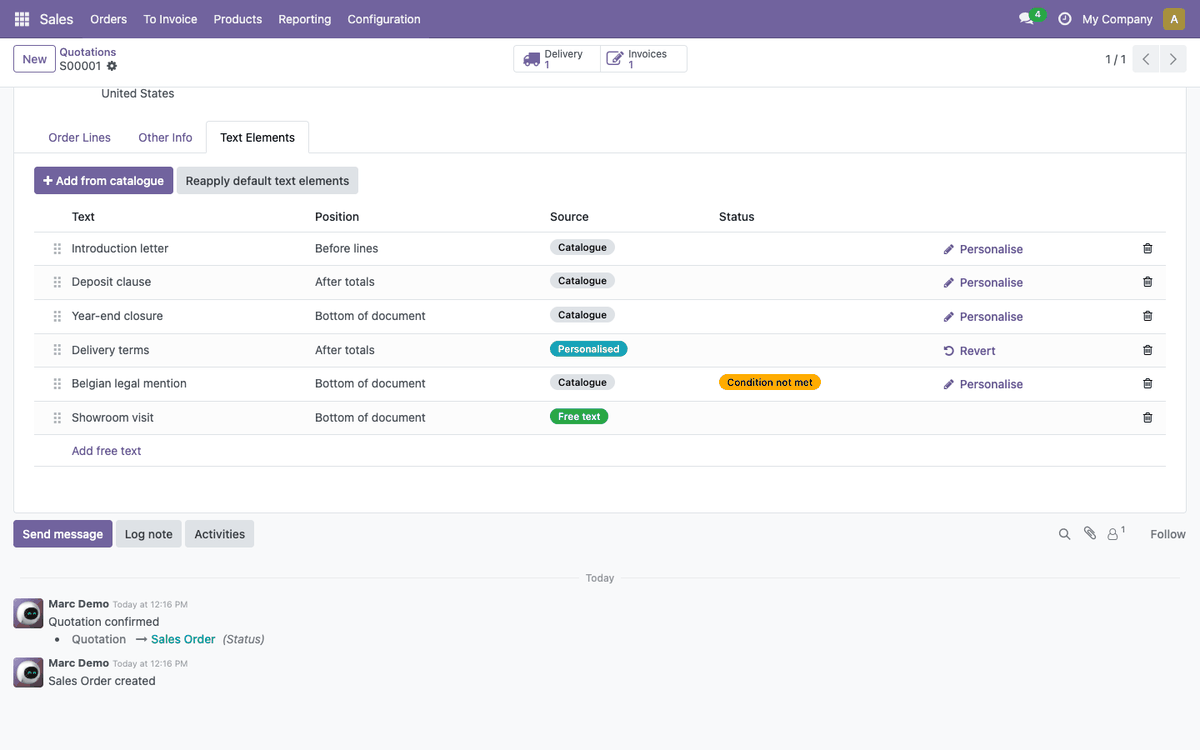
Configuring a text
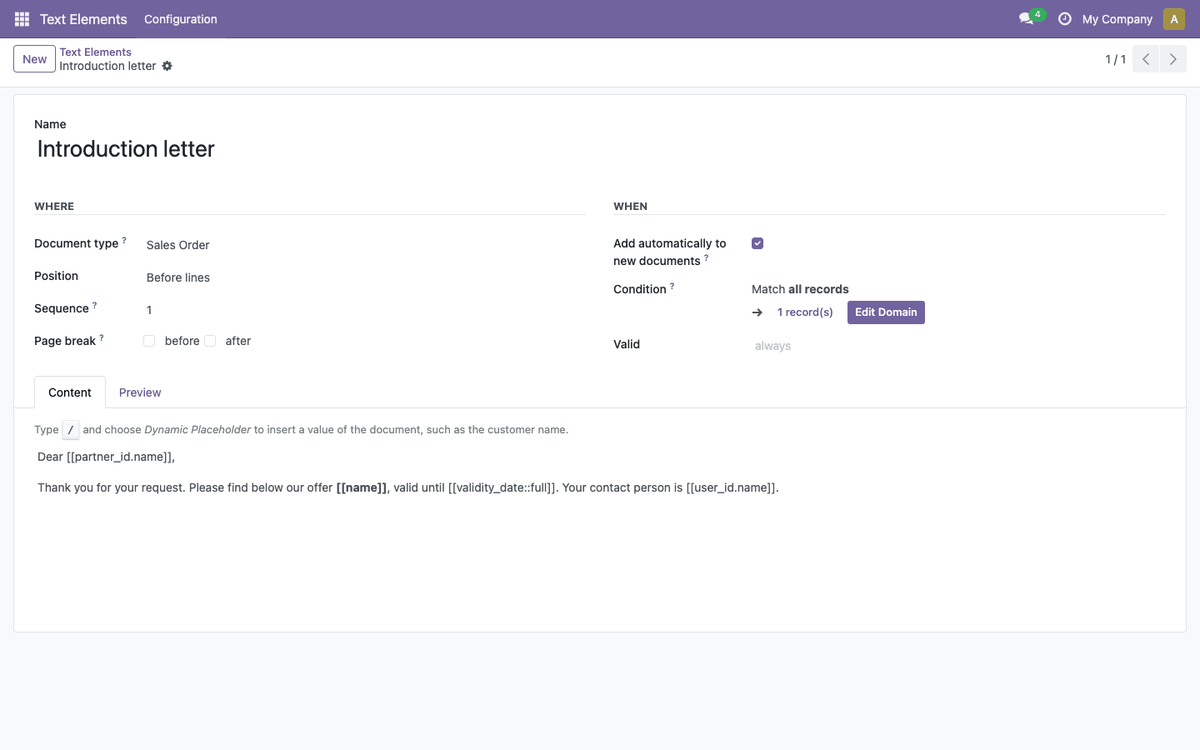
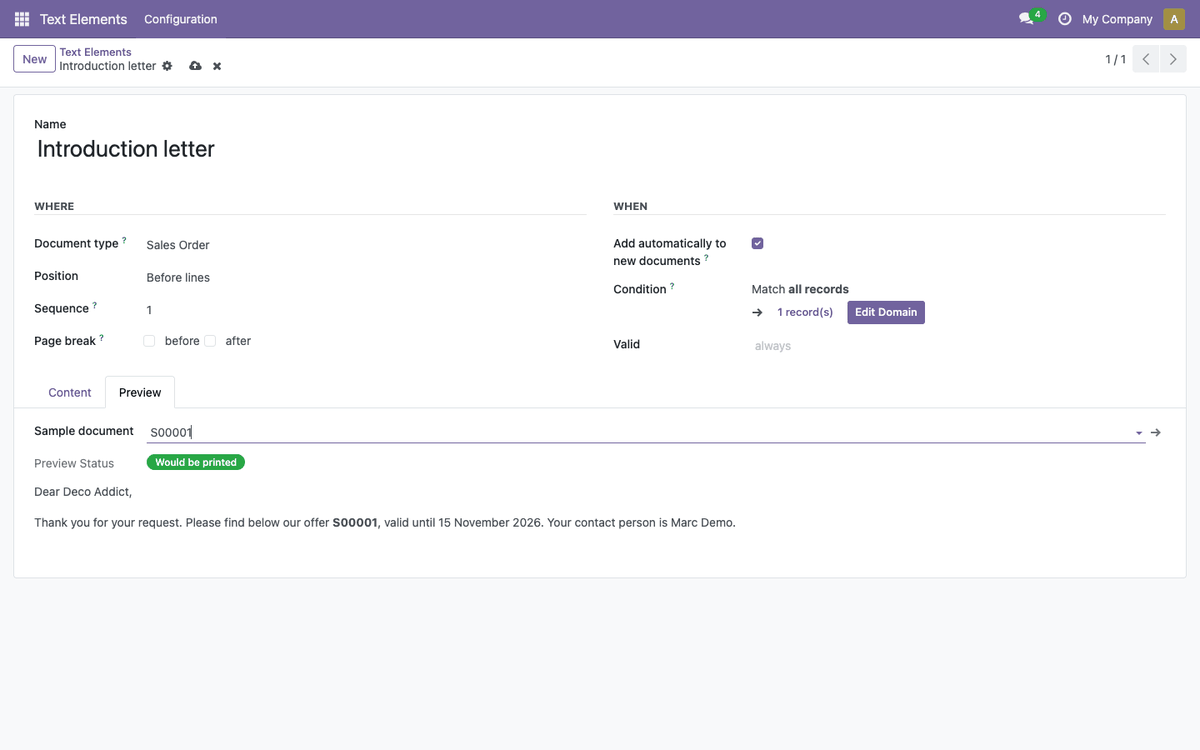
The catalogue form follows the same three questions. Type / in the editor and choose Dynamic Placeholder to insert a value of the document from a field list: no technical names to remember. A placeholder that does not match a field is refused when you save, and the Preview tab shows the text rendered on a real document, with a clear status: would be printed, condition not met, or out of validity period.
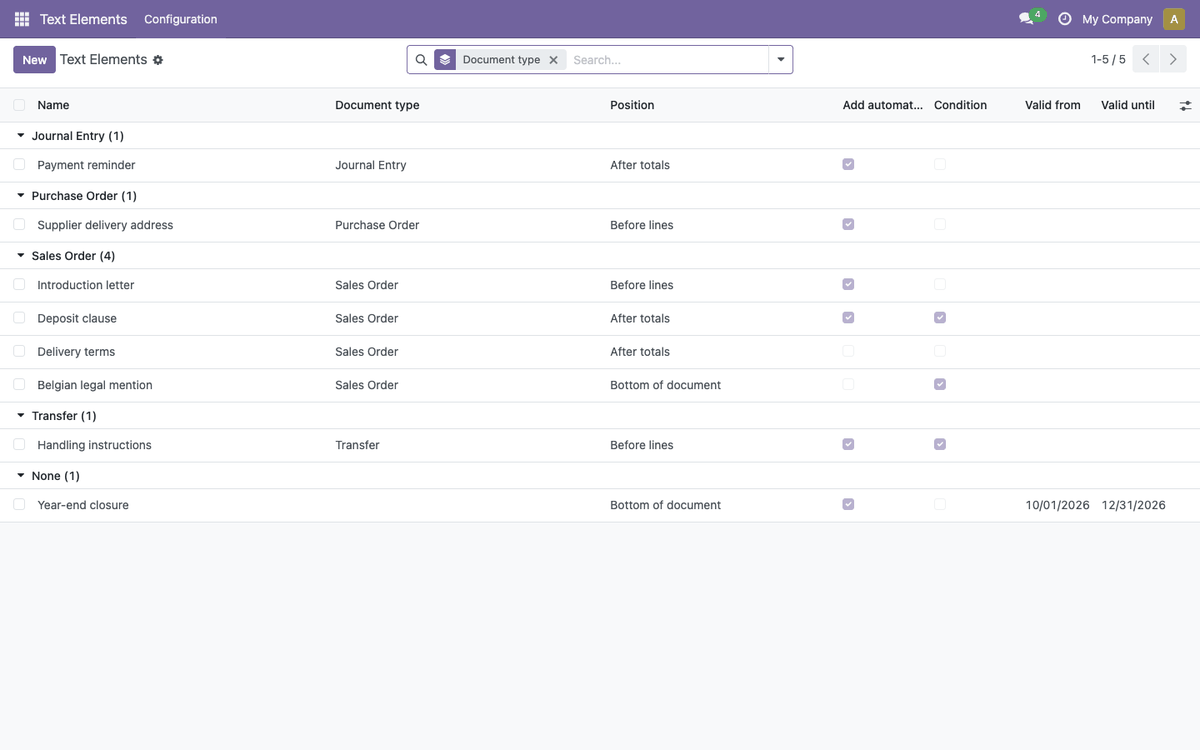
What our customers use it for
- The annual closure notice. Automatic, at the bottom of every quotation, valid from 1 July to 15 August. It disappears on its own afterwards.
- Mentions per department or subsidiary. One text per sales team or company, each with its condition: every document carries the right on-call number or legal mention.
- Amount-based clauses. The deposit paragraph above a threshold, the reverse-charge mention for intra-community customers.
- Annexes. Long conditions or a technical notice appended after the document, on their own page.
- The personal touch. On an important quotation, the salesperson adapts the standard introduction letter for this customer, without touching the company's catalogue.
Multilingual and multi-company
Texts are translated like any Odoo content, and each document prints in its customer's language. Each text can belong to one company or be shared. Only members of the Text Elements Manager group edit the catalogue; everyone else can read it and adapt texts on their own documents.
What it does not do
Text Elements adds text to documents; it does not redesign them. The four positions are fixed: a text cannot be inserted in the middle of the lines. A text never contains logic: the condition is set on the text, not in its sentences. And it prints in the PDF, not in the body of the email that carries it.
Availability
Text Elements ships as five free, open-source modules (AGPL-3) on the Odoo Apps Store: the base module, plus one module each for sales, invoicing, purchases and delivery slips. Any other document can be connected with a small module of a few lines. The suite was initially created by Elneo and is developed and maintained by Noviat.
Want to see it on your own documents? Contact us for a demonstration.